Documents and data
Excel and CSV Durations: How to Agree on and Validate Their Meaning
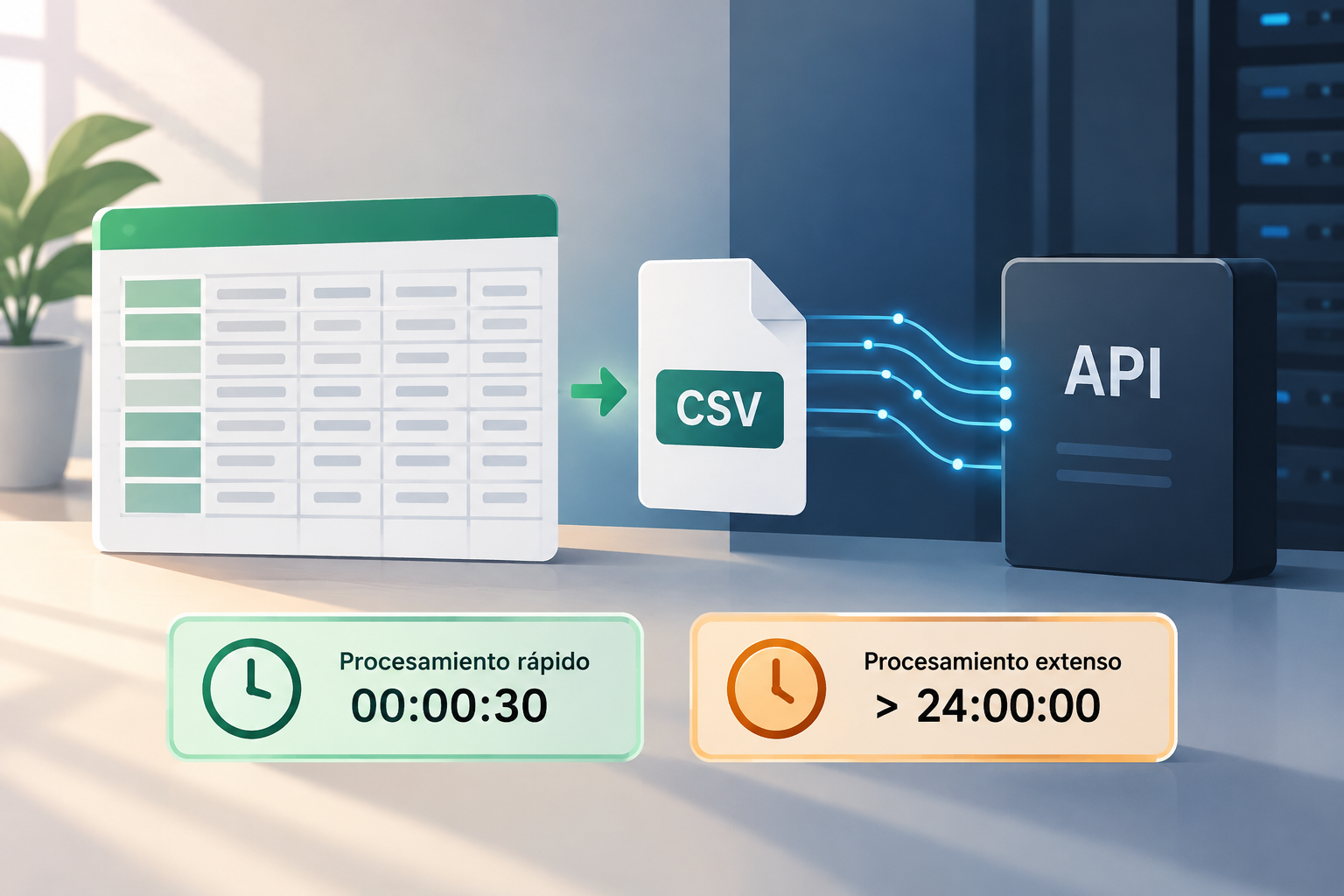
Before sharing durations, agree on what they represent and how they will be written. A test sample helps confirm that the other system interprets the values as expected.
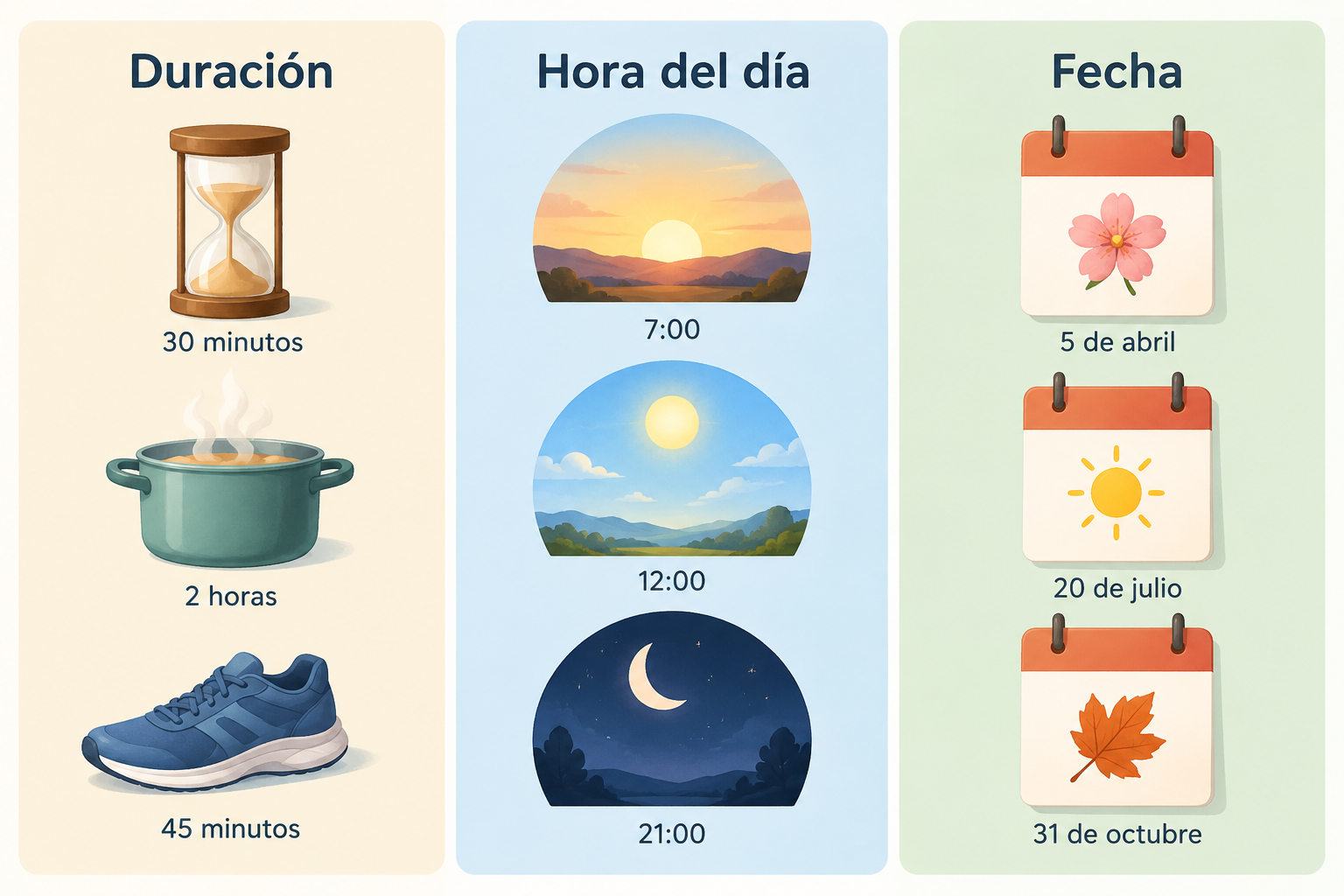
Duration, time of day, and date: three different meanings
Before sharing a column, define what it represents. A duration measures an interval—for example, how long a task took; a time of day indicates a moment within a day, and a date identifies a calendar day. If a column called “Time” contains 08:30, the recipient should not have to guess whether it means eight and a half hours or half past eight in the morning.
Note the meaning alongside the field name or in a brief specification. Include the unit, precision, and how empty and negative values will be handled, if applicable. Do not rely on the file to document these decisions by itself: agree on how the receiving system will interpret the data.
- Identify each field as a duration, time of day, or date.
- Document the unit, precision, and conventions for empty and negative values.
Consider durations longer than 24 hours
A task or process can last more than one day. A presentation such as 03:15 could be ambiguous unless you specify whether it represents a duration, a clock time, or part of a longer interval.
Agree on an unambiguous notation with the recipient. For example, you could propose 27:15:00 to express a cumulative duration in hours, minutes, and seconds, and clarify that the hours can exceed 23. This is an example of a convention to agree on, not a guarantee that Excel or an API will recognize it automatically.
- Clarify whether cumulative hours can exceed 23.
- Include an example longer than 24 hours in the field specification.

Prepare a sample and review the result
Work on a copy and keep the original intact. Review the cells, visible formats, and formulas, if any; then record a few values alongside their expected interpretations. How something looks on screen is no substitute for a definition the recipient can understand.
Test representative cases: zero, a fractional value, a duration longer than 24 hours, and an empty field. Add negative or very long values if they are part of your workflow. This lets you compare the result of your specific procedure with what you agreed on, without assuming how each value will be converted.
- Prepare a working copy and keep the original.
- Record the test values and their expected interpretations.
Agree on an output representation
You can propose decimal hours or a duration string in hours, minutes, and seconds to the recipient. For example, 1 hour and 30 minutes could be written as 1.5 hours or as 01:30:00. These are alternatives for defining a data contract, not formats that Excel or any API must interpret automatically.
Choose based on the operations the receiving system needs. If you use decimal hours, agree on the unit, precision, and rounding; if you use a string such as 27:15:00, state that the hours can exceed 23 and that it does not represent a time of day. Keep one convention per field, and avoid representing a duration as a date and time unless there is a defined need.
- Define one representation per field and include an example.
- Agree on the unit, precision, rounding, and handling of special values.
Import the test CSV and compare the values
Microsoft Support describes two ways to work with data from a text file in Excel: open it in Excel or import it as an external data range. See the guide [Import or export text (.txt or .csv) files](https://support.microsoft.com/es-es/excel/get-started/import-or-export-text-txt-or-csv-files) for more information about these options.
After preparing the CSV, open or import it in the test environment you plan to use and compare the fields with your expected-results record. Check both the contents and how they are interpreted: a string can retain its characters and still be ambiguous if it is not specified as a duration. If the results do not match the agreement, review the preparation or convention before delivering the file.
- Compare the imported values with the sample and their expected interpretations.
- Resolve any differences before sharing the file.
Send data to an API with a defined contract
For an API, agree on the field name, representation, unit, and handling of special cases with the receiving system. First test a small set and compare what you sent with the response or the record received; do not assume the service will infer the meaning from a string or number.
Apification offers integration through REST API, OpenAPI, and webhooks. These capabilities allow services to be integrated, but they do not determine how to encode a duration: that convention must be agreed with the system receiving the data.
- Define the field contract before sending data.
- Validate a small request and review the response or the record received.
Checklist before sharing
Do not rely only on what a cell displays or on the file extension. Avoid mixing decimal hours and strings, omitting units, or rounding without documenting it. Save the chosen convention alongside the validated sample so the result can be reviewed.
If you organize these documents in Apification Cloud, you can keep them in a versioned workspace and view their history or restore versions. Apification also lets you create and edit office files with ONLYOFFICE within Cloud. These capabilities help organize the work, but they do not replace agreeing on and validating the exchange format.
- Original preserved and working copy identified.
- Meaning, unit, and format of each column documented.
- Sample compared with expected results after import.
- Contract defined and sample validated before sending data to an API.
Frequently asked questions
Does a CSV preserve the meaning of a duration?
Do not assume it does. Define what the field represents, agree on how it will be written, and compare the result when you open or import it in the destination environment.
What representation can I propose for a duration longer than 24 hours?
Agree on a convention the recipient can interpret unambiguously. For example, you can propose a string such as 27:15:00 and specify that the hours are cumulative.
How do I validate a sample before sharing it?
Record the values and their expected interpretations, include cases such as zero, empty, and over 24 hours, and compare those results with the imported file.
Sources and further reading
Documentation consulted while preparing this article.
- Importar o exportar archivos de texto (.txt o .csv) — Microsoft Support
- How to Import and Export CSV from Excel Beginner Tutorial — YouTube
Explore Apification
Related articles
Documents and data
XML to CSV with Repeated Elements: Choosing What Each Row Represents
Before converting XML to CSV, define what each row represents and how to preserve shared fields, optional values, and empty records.
Documents and data
Hidden decimals in Excel: How to avoid differences between what you see and what you export
A guide to distinguishing how a number looks from the calculation rule you need, checking discrepancies, and verifying an export before sharing it.

Documents and data
Hidden Rows in Excel: How to Check a Sheet Before Sharing
A sheet that looks incomplete has not necessarily lost data. Learn to check filters, hidden rows, and expected records before sharing a copy.