Solution

Multimedia teams

Bring together assets, editing studios, formats and exports for visual and audio production.

Overview

Bring together assets, editing studios, formats and exports for visual and audio production.

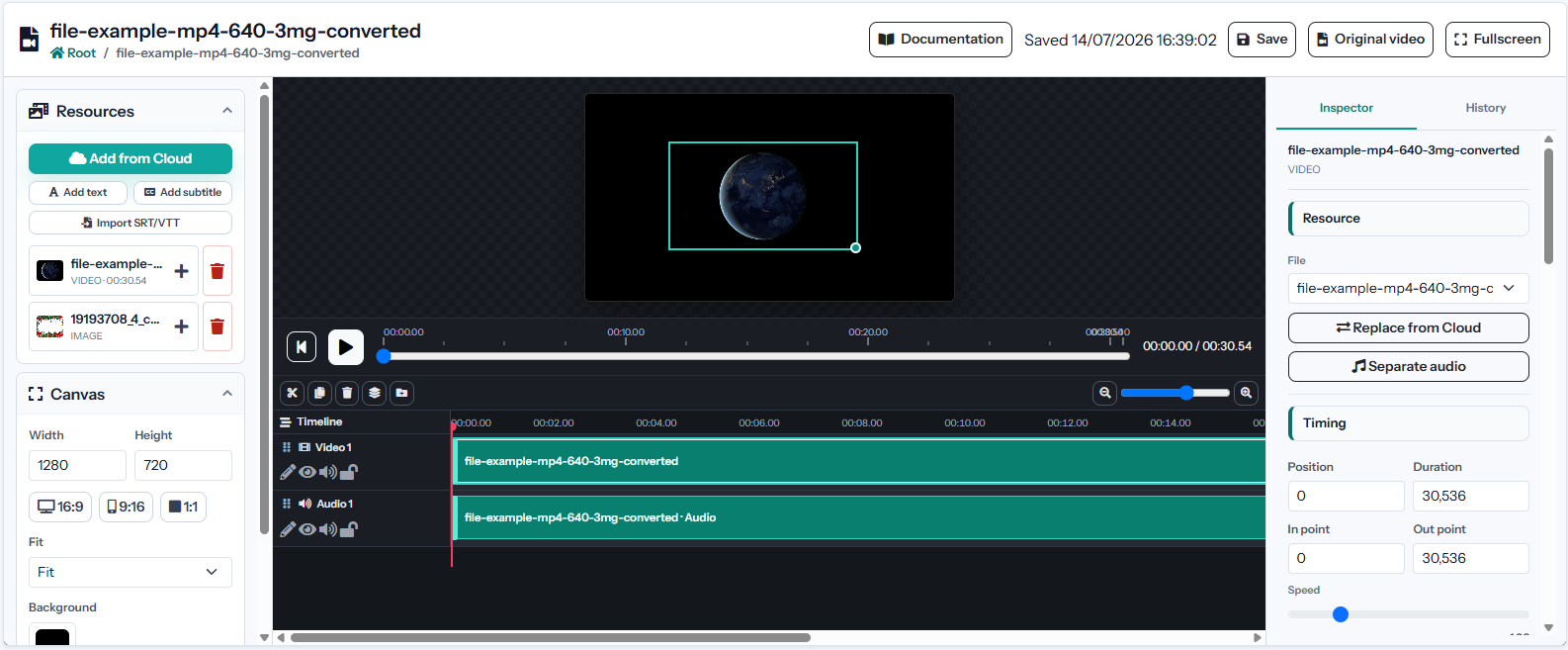
Apification interface used in Multimedia teams
Who it is for

A solution designed for a specific operating context

Media teams coordinating originals, image, video and audio editing, formats and delivery.

What changes when the process is connected

  • Originals, projects and renders stored without a clear relationship.
  • Repeated file transfers between tools and people.
  • Inconsistent exports for different channels and devices.
Solution architecture

Connected inputs, capabilities and outcomes

Inputs

Images, vectors, video clips, recordings, music, subtitles and imported assets.

Outcomes

Layered or multitrack projects, proxies, thumbnails, waveforms, renders and converted files.

Capability map

FeaturesApification serviceExpected outcome
Shared asset workspaceCentralize originals, references, project files and final renders for image, video and audio work. Image Studio Edit images on an integrated canvas with layers, text, shapes, filters and modern export formats.
Specialized studiosUse Image Studio, Video Studio and Audio Studio with controls suited to each medium. Video Studio Edit video, audio, images, text and subtitles in a multitrack editor with preview and rendering.
Reusable Cloud selectorsInsert existing media into editors and services without duplicate local download and upload cycles. Audio Studio Edit recordings and audio tracks on a multitrack timeline with effects, fades and professional export.
Layered and multitrack projectsKeep complex compositions editable with layers, folders, tracks, timing and non-destructive changes. File transformation Convert, split, merge, optimize and process documents, images, video, audio and data through a guided wizard.
Additional capabilities

Features that complete the solution

05

Cross-format transformation

Convert image, video and audio formats with output options and compatible codec filtering.

06

Channel-specific exports

Prepare dimensions, aspect ratios, quality, bitrate and formats for different publishing destinations.

07

Versioned deliverables

Retain project milestones and recover previous files instead of relying on manual duplicate copies.

08

Controlled review and delivery

Share resources with users or groups and provide original or transformed downloads.

Complete scenarios

How it works in a practical case

Complete a process with fewer tools.

Starting situation
Originals, projects and renders stored without a clear relationship.
Configuration and process
Use Image Studio, Video Studio and Audio Studio with controls suited to each medium.
Outcome
Layered or multitrack projects, proxies, thumbnails, waveforms, renders and converted files.

Coordinate people, resources and deliverables.

Starting situation
Repeated file transfers between tools and people.
Configuration and process
Insert existing media into editors and services without duplicate local download and upload cycles.
Outcome
Layered or multitrack projects, proxies, thumbnails, waveforms, renders and converted files.

Improve operations using real activity data.

Starting situation
Inconsistent exports for different channels and devices.
Configuration and process
Keep complex compositions editable with layers, folders, tracks, timing and non-destructive changes.
Outcome
Layered or multitrack projects, proxies, thumbnails, waveforms, renders and converted files.

Requirements and limits

  • Editing and administration interfaces require a modern browser with JavaScript.
  • The account needs available storage for originals, projects, versions and outcomes.
  • Preview uses the browser, while advanced renders and conversions require FFmpeg and ImageMagick.

Security and privacy

  • Resources remain private until they are explicitly shared or published.
  • Users, groups, roles and visibility control who can view or change each item.
  • Versions and restoration reduce the risk of losing changes or previous deliverables.

Integrations

  • Google Drive, OneDrive and Dropbox can supply source files.
  • File Transformer normalizes formats between intake, editing and delivery.
  • Compatible services can be distributed through controlled public links.

Usage and planning

  • Originals, projects, versions and outcomes use the account storage quota.
  • Transformations, renders and other processes may use credits under the effective tariff.
When it fits

Check whether this solution matches your needs

When it fits

  • You need one shared library for several media types.
  • Production uses layers, tracks, versions and multiple formats.
  • Assets and deliverables should be shared without duplicating originals.

When another approach is needed

  • You need advanced 3D composition or visual effects tools.
  • Production requires broadcast hardware or real-time processing.
Frequently asked questions

Questions about Multimedia teams

Yes. All studios select from the same Cloud library and save their projects and renders back into it.

Available controls depend on the medium and include dimensions, resolution, bitrate, quality, container, codec, frame rate, and audio properties.

Yes. Keeping the editable Cloud service allows layers, tracks, timings, and export settings to be changed later.