Product

Audio Studio

Edit recordings and audio tracks on a multitrack timeline with effects, fades and professional export.

Overview

Edit recordings and audio tracks on a multitrack timeline with effects, fades and professional export.

Real interface

An environment integrated into Apification

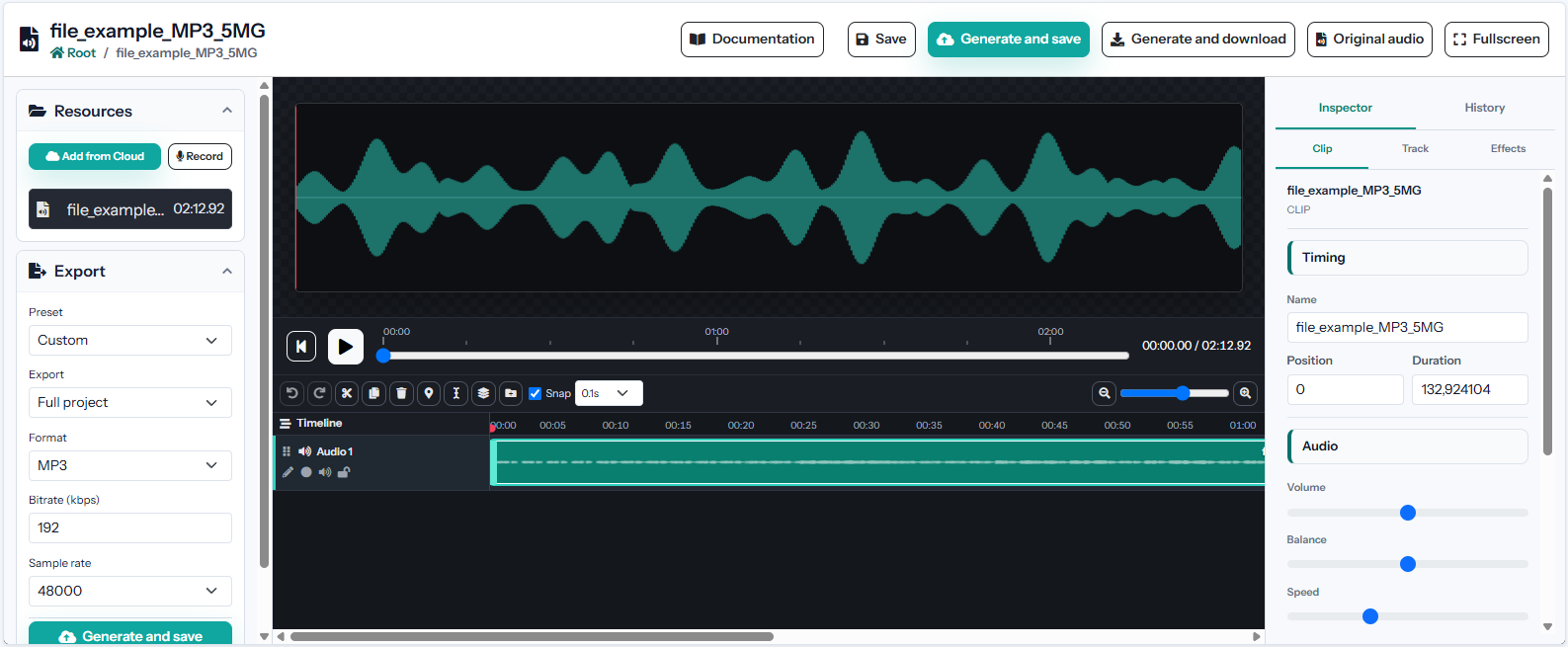
The screenshot shows the product’s current interface inside an Apification account.

Audio Studio interface in Apification
Multitrack audio timeline

Arrange recordings, music and effects on independent tracks with a detailed temporal ruler.

Persistent tracks and folders

Create, rename, reorder, group, lock and mute tracks without losing empty organizational structures.

Non-destructive clip editing

Move clips between tracks and adjust start, duration and source trim while preserving the original audio.

Features

What Audio Studio can do

01

Multitrack audio timeline

Arrange recordings, music and effects on independent tracks with a detailed temporal ruler.

02

Persistent tracks and folders

Create, rename, reorder, group, lock and mute tracks without losing empty organizational structures.

03

Non-destructive clip editing

Move clips between tracks and adjust start, duration and source trim while preserving the original audio.

04

Recording from the browser

Arm a destination track and capture microphone audio directly into the current project.

05

Level and stereo control

Set volume and panorama for clips or tracks to balance voices, music and effects.

06

Fades and edge effects

Apply configurable entrance and exit effects to avoid abrupt starts or cuts.

07

Audio processing chain

Use equalization, compression, noise gate, filters, echo, reverb and pitch controls where available.

08

Markers and named regions

Mark exact moments or time ranges for navigation, review and partial export.

09

Scoped export

Render the complete mix, a selected region or an individual track according to the required deliverable.

10

Professional audio formats

Select format, codec, bitrate, sample rate and channels from the combinations supported by FFmpeg.

Technical information

Inputs, results, and work continuity

Supported inputs

Cloud audio, microphone recordings, and compatible tracks.

Results and export

MP3, WAV, FLAC, AAC, OGG, OPUS, and other supported audio formats.

Work continuity

The project retains tracks, clips, effects, fades, levels, and export ranges.

Practical examples

From input to result

Configuration

Persistent tracks and folders

Result
Create, rename, reorder, group, lock and mute tracks without losing empty organizational structures.
Configuration

Non-destructive clip editing

Result
Move clips between tracks and adjust start, duration and source trim while preserving the original audio.
Configuration

Recording from the browser

Result
Arm a destination track and capture microphone audio directly into the current project.
Recommended configurations
Podcast MP3Master WAVFLAC archiveOPUS web

Limits and requirements

  • Requires a modern browser with JavaScript enabled.
  • Preview runs in the browser; final rendering requires FFmpeg.
  • Recording requires microphone permission and a compatible HTTPS context.

Privacy and data

  • Layers, tracks, and settings are saved without modifying source files.
  • New resources remain private until their visibility is changed.
  • The project and its media remain in Cloud throughout editing and rendering.

Integration and automation

  • The shared Cloud picker reuses files without uploading duplicates.
  • Saved results can be opened or selected in other studios and services.
  • Webhooks report relevant changes and retain deliveries, responses, and retries.

Plans and usage

  • The editable project and every saved render are counted as separate resources.
  • Operations use the effective configured tariff; an estimate is shown before execution when applicable.
Frequently asked questions

Questions about Audio Studio

No. Trims, positions, levels, and effects are stored in the project, while export creates a new audio file.

Yes, when the browser has microphone permission and the page is served over HTTPS or from a compatible local environment.

No. You can render the complete project, a specific time range, or an individual track.