Product

Documents, sheets and presentations

Create and edit office files with ONLYOFFICE while keeping them inside Cloud storage.

Overview

Create and edit office files with ONLYOFFICE while keeping them inside Cloud storage.

Real interface

An environment integrated into Apification

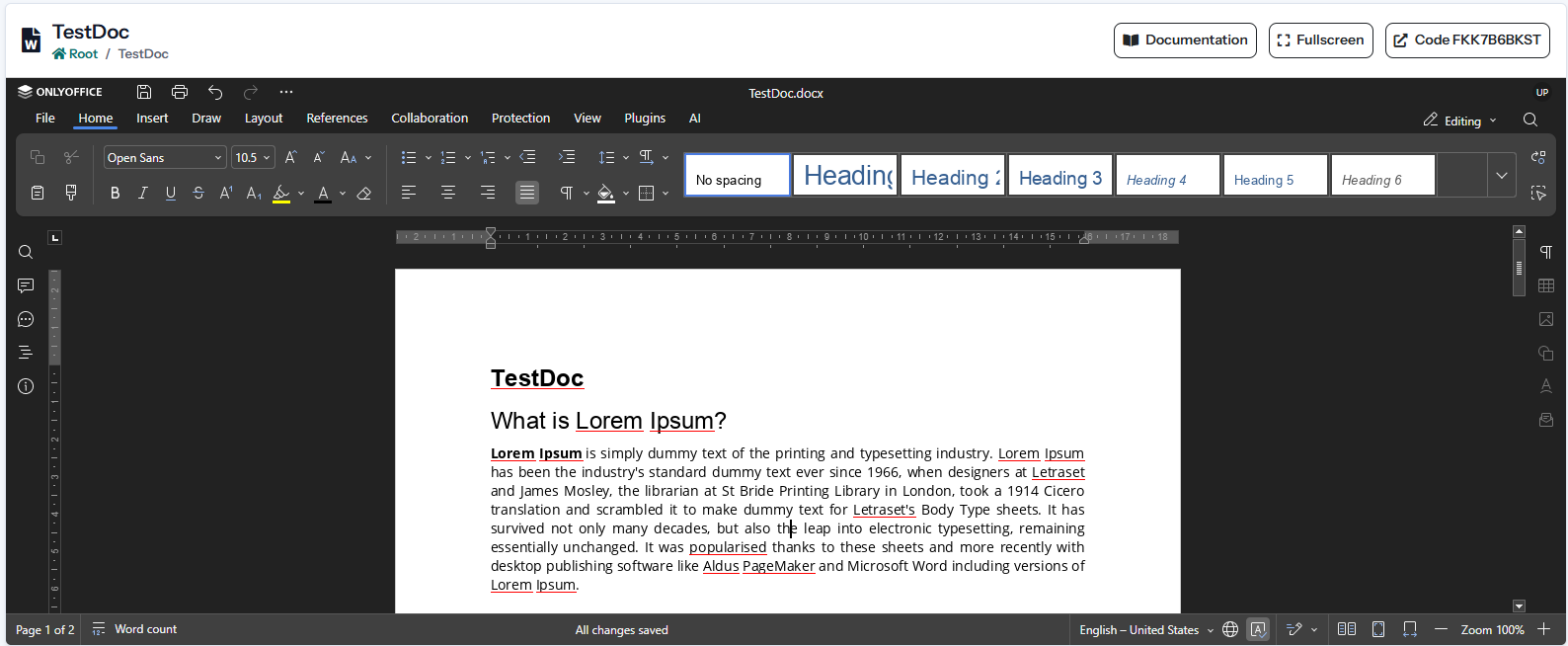
The screenshot shows the product’s current interface inside an Apification account.

Documents, sheets and presentations interface in Apification
Three integrated editors

Create and edit text documents, spreadsheets and presentations without leaving Apification.

Native office formats

Work with DOCX, ODT, XLSX, ODS, PPTX, ODP and other formats supported by ONLYOFFICE.

Full document editing

Use formatting, styles, tables, images, formulas, charts, slides and presentation tools.

Features

What Documents, sheets and presentations can do

01

Three integrated editors

Create and edit text documents, spreadsheets and presentations without leaving Apification.

02

Native office formats

Work with DOCX, ODT, XLSX, ODS, PPTX, ODP and other formats supported by ONLYOFFICE.

03

Full document editing

Use formatting, styles, tables, images, formulas, charts, slides and presentation tools.

04

Cloud-based source files

Open existing Cloud documents or create a new office file directly in the selected folder.

05

Automatic save callback

Receive editor changes in Apification and update the associated Cloud resource safely.

06

Versions and properties

Keep office files inside the standard Cloud lifecycle with metadata, versions, access and restoration.

07

Conversion and download

Use File Transformer and sharing downloads to obtain PDF or compatible office output formats.

Technical information

Inputs, results, and work continuity

Supported inputs

Compatible Office and OpenDocument documents, spreadsheets, and presentations.

Results and export

Edited files, new versions, and later conversions including PDF.

Work continuity

The updated document returns to the same Cloud item and enters its version history.

Practical examples

From input to result

Configuration

Native office formats

Result
Work with DOCX, ODT, XLSX, ODS, PPTX, ODP and other formats supported by ONLYOFFICE.
Configuration

Full document editing

Result
Use formatting, styles, tables, images, formulas, charts, slides and presentation tools.
Configuration

Cloud-based source files

Result
Open existing Cloud documents or create a new office file directly in the selected folder.
Recommended configurations
DOCXXLSXPPTXOpenDocument

Limits and requirements

  • Editing requires an accessible ONLYOFFICE Document Server.
  • DOCX, XLSX, and PPTX provide the highest fidelity; other formats may be normalised for editing.
  • ONLYOFFICE must be able to return the updated file to the Apification callback.

Privacy and data

  • Versions and the recycle bin restore previous states within their retention period.
  • New resources remain private until their visibility is changed.
  • Users, groups, links, and publication are managed through separate controls.

Integration and automation

  • The callback adds the saved document to Cloud properties and versions.
  • The API creates, reads, and manages Cloud resources with account credentials.
  • Transformed downloads reuse the formats supported by File Transformer.

Plans and usage

  • Originals, projects, versions, and results use account storage.
  • Operations use the effective configured tariff; an estimate is shown before execution when applicable.
Frequently asked questions

Questions about Documents, sheets and presentations

ONLYOFFICE primarily works with Office documents, spreadsheets, and presentations such as DOCX, XLSX, and PPTX, plus compatible formats including ODT, ODS, and ODP.

Yes. The ONLYOFFICE callback returns the updated document and Apification stores it within the Cloud properties and version cycle.

Yes. When conversion is supported, use File Transformer or the transformed download option in the sharing flow.