Product

Development tools

Edit HTML, CSS and JavaScript with an integrated preview and Cloud service connectivity.

Overview

Edit HTML, CSS and JavaScript with an integrated preview and Cloud service connectivity.

Real interface

An environment integrated into Apification

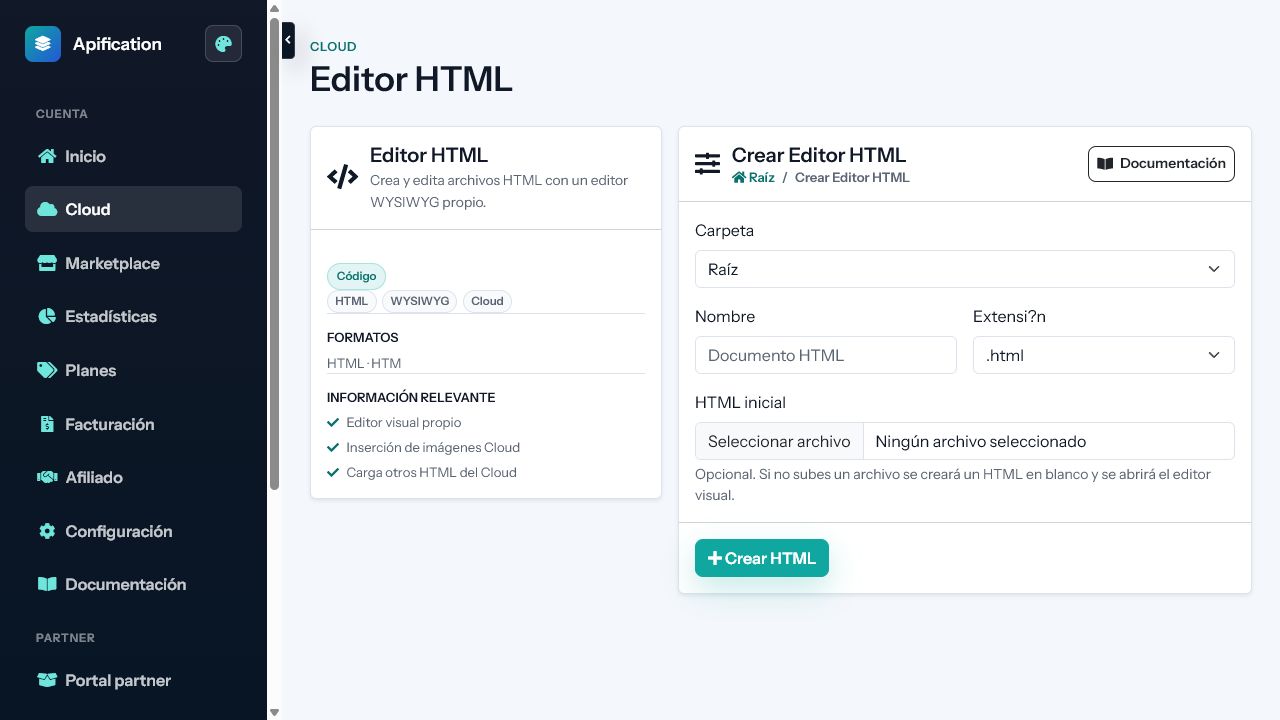
The screenshot shows the product’s current interface inside an Apification account.

Development tools interface in Apification
Rich HTML editing

Create semantic blocks, formatted text, lists, links, tables and images through the visual editor.

Source code access

Inspect and edit the generated HTML directly when exact markup control is required.

Integrated preview

Render sanitized content in the browser to check structure, links and Cloud media before sharing.

Features

What Development tools can do

01

Rich HTML editing

Create semantic blocks, formatted text, lists, links, tables and images through the visual editor.

02

Source code access

Inspect and edit the generated HTML directly when exact markup control is required.

03

Integrated preview

Render sanitized content in the browser to check structure, links and Cloud media before sharing.

04

Cloud media insertion

Choose images with the common selector and keep their access and ownership inside Apification.

05

Content sanitization

Remove unsafe tags, scripts, event handlers and unsupported URL schemes when content is saved.

06

History and versions

Use session undo and redo while Cloud versions retain saved milestones beyond the current edit.

07

Multiple output formats

Export HTML and, when converters are available, generate TXT, DOCX, PDF, JSON or EML derivatives.

Technical information

Inputs, results, and work continuity

Supported inputs

HTML, text, permitted styles, and compatible web resources.

Results and export

Sanitised HTML, preview, and supported exports such as TXT, PDF, or DOCX.

Work continuity

Code and configuration are stored in Cloud with properties and versions.

Practical examples

From input to result

Configuration

Source code access

Result
Inspect and edit the generated HTML directly when exact markup control is required.
Configuration

Integrated preview

Result
Render sanitized content in the browser to check structure, links and Cloud media before sharing.
Configuration

Cloud media insertion

Result
Choose images with the common selector and keep their access and ownership inside Apification.
Recommended configurations
HTML documentEmail HTMLCode snippetWeb preview

Limits and requirements

  • Requires a modern browser with JavaScript enabled.
  • HTML is sanitised and may block scripts, events, or active content.
  • Maximum size depends on the extension and the limits configured for the account.

Privacy and data

  • New resources remain private until their visibility is changed.
  • Sanitisation reduces execution of unauthorised active content.
  • Versions and the recycle bin restore previous states within their retention period.

Integration and automation

  • The API creates, reads, and manages Cloud resources with account credentials.
  • Public links and published views distribute the result.
  • Content can be published, linked, or embedded according to its visibility.

Plans and usage

  • Originals, projects, versions, and results use account storage.
  • Public views or interactions may use the tariff configured for each service.
Frequently asked questions

Questions about Development tools

You should not assume so. Sanitisation may block scripts, event handlers, and active content for security reasons.

The HTML editor creates a web document. A landing page adds sections, publishing, forms, leads, access controls, and analytics.

Yes. In addition to HTML, TXT, DOCX, PDF, JSON, or EML may be available when the required converters are installed.