Solution

Forms and lead capture

Publish surveys, events, coupons and landing pages with identification, restrictions and results.

Overview

Publish surveys, events, coupons and landing pages with identification, restrictions and results.

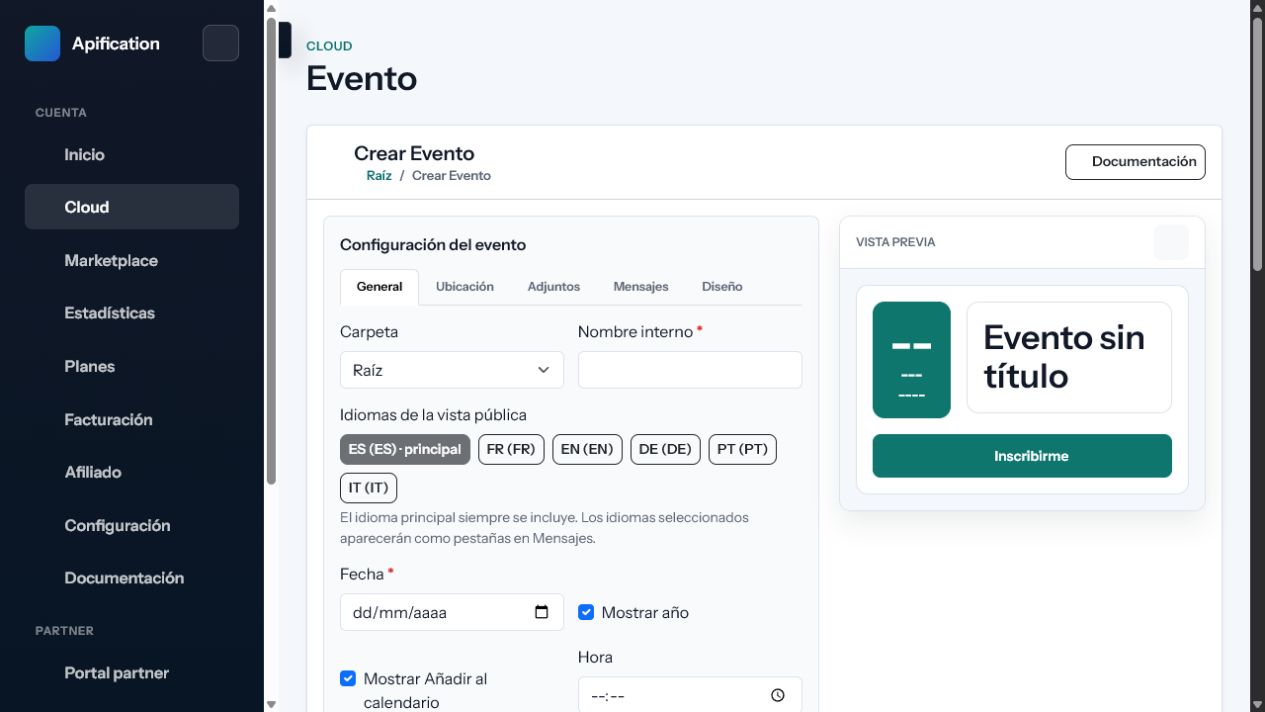
Apification interface used in Forms and lead capture
Who it is for

A solution designed for a specific operating context

Marketing, HR, training and event teams collecting responses, registrations or leads.

What changes when the process is connected

  • One generic form is used for goals that need different rules.
  • Participation lacks identity, period, capacity or duplicate controls.
  • Results must be moved manually into other systems.
Solution architecture

Connected inputs, capabilities and outcomes

Inputs

Questions, options, attendee data, codes, visual assets, publication rules and authentication.

Outcomes

Responses, votes, registrations, leads, statistics, exports and webhook notifications.

Capability map

FeaturesApification serviceExpected outcome
Multiple capture formatsUse surveys, polls, event registrations, coupons or landing forms according to the interaction required. Interactive services Create publishable surveys, polls, events, coupons and sliders with design, security and statistics.
Configurable fields and optionsDefine questions, choices, required data and service-specific behavior from visual builders. Landing pages Build publishable pages with sections, forms, Cloud media, analytics and artificial intelligence assistance.
Consistent visual stylingConfigure typography, colors, backgrounds, icons and Cloud media with a functional preview. Security and access control Protect files and services with permissions, OTP, external authentication, restrictions and publication windows.
Identity and access controlsApply public access, OTP or supported external authentication to the participation flow. Automation and webhooks Connect Cloud actions through APIs and signed webhooks with retries, history and statistics.
Additional capabilities

Features that complete the solution

05

Publication windows and limits

Set start and end dates, capacity, response restrictions and other participation conditions.

06

Lead and attendee management

Review collected contacts, event registrations, votes, responses and promotional code activity.

07

Results and data export

Inspect activity and export the information collected for reporting or further processing.

08

Webhook integration

Notify CRMs, backends and automation tools when relevant submissions or state changes occur.

09

Privacy-aware publication

Keep administration private while exposing only the public experience and data required by the workflow.

Complete scenarios

How it works in a practical case

Complete a process with fewer tools.

Starting situation
One generic form is used for goals that need different rules.
Configuration and process
Define questions, choices, required data and service-specific behavior from visual builders.
Outcome
Responses, votes, registrations, leads, statistics, exports and webhook notifications.

Coordinate people, resources and deliverables.

Starting situation
Participation lacks identity, period, capacity or duplicate controls.
Configuration and process
Configure typography, colors, backgrounds, icons and Cloud media with a functional preview.
Outcome
Responses, votes, registrations, leads, statistics, exports and webhook notifications.

Improve operations using real activity data.

Starting situation
Results must be moved manually into other systems.
Configuration and process
Apply public access, OTP or supported external authentication to the participation flow.
Outcome
Responses, votes, registrations, leads, statistics, exports and webhook notifications.

Requirements and limits

  • Editing and administration interfaces require a modern browser with JavaScript.
  • Visibility, publication period, authentication and limits must be defined before publishing.
  • OTP, invitations and notifications require working email configuration.

Security and privacy

  • Dates, capacity, limits, OTP and external authentication restrict public participation.
  • Identity data is requested only when the flow configures OTP or an external provider.
  • Responses and results can be exported; the controller must apply its retention policy.

Integrations

  • Compatible services can be distributed through controlled public links.
  • Exports and webhooks send leads, attendees and responses to CRMs or backends.
  • The API creates and queries resources; webhooks report changes and outcomes.

Usage and planning

  • Participations, accesses and public uses may be counted by the published service.
  • Originals, projects, versions and outcomes use the account storage quota.
When it fits

Check whether this solution matches your needs

When it fits

  • You need configurable surveys, polls, events, coupons or landings.
  • OTP, authentication, dates or limits must be applied.
  • Results should be exported or connected to a CRM.

When another approach is needed

  • You need a full CRM for subsequent sales management.
  • The process requires complex transactions or payments that are not integrated yet.
Frequently asked questions

Questions about Forms and lead capture

Yes. Depending on the service, controls include OTP, external authentication, publication windows, response limits, and access restrictions.

Responses and leads are associated with the owning service and account, with export and webhook options where supported.

Published services can be shared or linked according to their visibility and publication settings.