APIs and automation
Reconciling webhooks and APIs in file flows: recover states without duplicating actions
Operational guide to reconstructing the real state of files, folders, transformations, and links when webhooks arrive late, are retried, or the consumer has been down.

The real problem: the webhook is not enough to know the final state
In a file integration, the webhook is a signal, not a complete snapshot of the business process. It can notify you that something happened in Apification Cloud, but the consumer may be down, respond late, process a retry twice, or receive events in a different order than expected. That is why reconciling webhooks and APIs is not about distrusting the webhook, but about using it as a trigger and technical evidence while the API confirms the current state of the resource.
The typical case appears when a file is uploaded to Cloud, a transformation is requested, and then the result is shared. Apification Cloud keeps files, folders, editable services, and generated results within the same workspace, and File Transformer can generate results without modifying the originals. If your backend loses connectivity between the transformation and sharing, the next step should not be to repeat everything: it should reconstruct what exists, what finished, and which internal action has already been applied.
- Treat each webhook as a change notification, not as the only source of truth.
- Query the API when you need to confirm the final state of Cloud or of a job.
- Separate the technical delivery state from the business state of your integration.

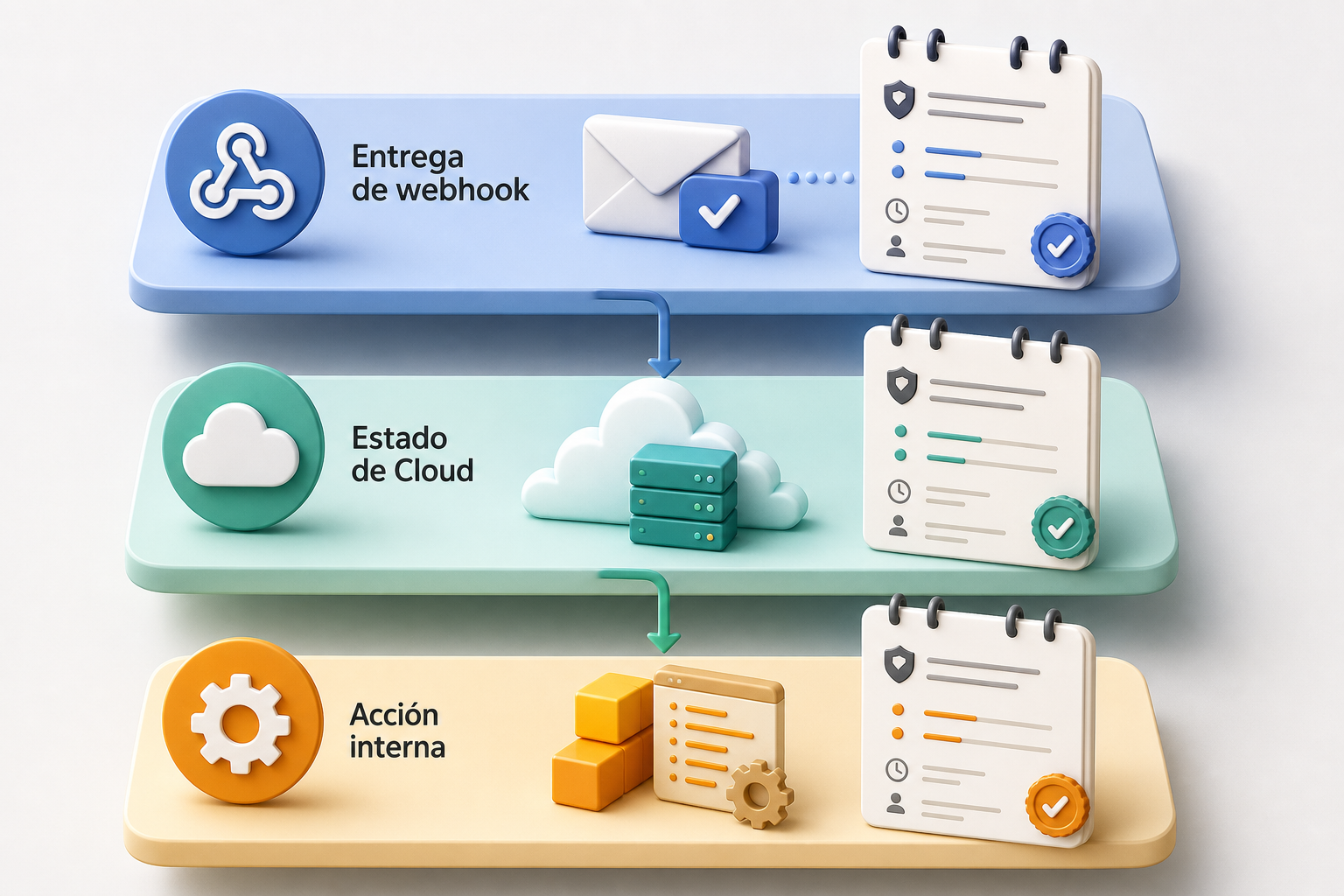
Three layers that must not be mixed
The first layer is webhook delivery. Apification lets you work with signed webhooks, retries, history, and statistics. The delivery history can show the destination URL, the attempt time, the response status, and the response body. This information helps diagnose whether your endpoint received the event, whether it returned an error, or whether it accepted the payload, but by itself it does not prove that your CRM, portal, or internal process completed its action correctly.
The second layer is the state of the resource in Apification Cloud. The REST API covers Cloud resources, folders, transformations, users, and webhooks within an authenticated surface. To verify specific states, the reference exposes reads such as GET /cloud/services/{code}, GET /cloud/folders, GET /file-transformer/jobs/{id}, and GET /webhooks/{id}/deliveries. The third layer is your own system: if you have already created a mirror folder, saved a result, generated a link, or notified a customer, that decision must be recorded in your database.
- Delivery: did the event arrive and how did my endpoint respond?
- Resource: what state is the file, folder, or job in now in Cloud?
- Business: which internal action have I already executed and with what result?
What your system must record in order to reconcile
The internal record does not need to be complex, but it must be explicit. At a minimum, store the stable identifier of the event or command, the type of event received, the affected resource, the planned action, the processing state, the applied result, and a reconciliation mark. Apification recommends using stable event and command identifiers to avoid duplicated business actions, and its idempotent commands let you attach a stable key to writes so that network retries do not repeat the business action.
A good record answers five questions after an outage: what the system knew, what it decided to do, what it managed to do, what it checked afterward, and what is still missing. In line with logging best practices, avoid storing secrets or unnecessary data; record enough to reconstruct the sequence without turning the log into an insecure copy of the payload. The reconciliation mark can be simple: pending, verified, corrected, discarded, or requires human review.
- Event received: identifier, date, type, and resource.
- Planned action: transform, save result, create link, notify, or update internal state.
- Applied result: success, failure, skipped as duplicate, or pending verification.
- Reconciliation: review date, confirmed state, and reason for the decision.
Recommended pattern: accept quickly and process later
The receiver must validate the HMAC signature before reading or persisting the payload. Then it must accept the event durably and respond with success only when the verified payload has been saved. Apification indicates that long-running processing should continue asynchronously. This prevents a heavy transformation, a CRM query, or a sharing operation from blocking the HTTP response and causing unnecessary retries.
The operational pattern is receive, validate, save, respond, and process. The subsequent queue or work table executes the business logic with duplicate control. If the process fails halfway through, the evidence of the event is not lost and unnecessary retries are not added because of a slow internal task. In addition, this design makes it easier to pause consumers, deploy changes, and resume from a known point.
- Receive the webhook in a minimal and stable endpoint.
- Validate the signature before persisting the content.
- Save the event and a deduplication key.
- Respond with success after durable acceptance, not after the entire business process.
- Run transformations, links, or internal updates in the background.
When to query the API to reconstruct the state
There is no need to query the API for every micro-decision if the normal flow is healthy. In production, Apification presents transformation completion and failure webhooks as an alternative to continuous polling, because they avoid unnecessary requests and provide a clearer event trail. The reconciliation query is most valuable after incidents: consumer outage, prolonged timeout, ambiguous response, interrupted deployment, out-of-order event, or doubt about the final state of a transformation.
For transformations, GET /file-transformer/jobs/{id} returns the job’s status, progress, usage, and results. This lets you decide whether you should wait, mark a failure, save an already available result, or discard a repeat. For Cloud and folders, service and folder reads help verify whether the resource exists and how it is organized. Remember that moving an item in Apification Cloud changes its organization, not its identity; properties and access remain associated with the same item.
- Query after a consumer outage window.
- Query when the received event contradicts your internal state.
- Query when the completion event for a transformation is missing.
- Query before recreating folders, results, or links that could already exist.
- Do not replace all webhooks with continuous polling without an operational reason.
How to avoid duplicates when reconciling
The practical rule is to compare before creating. If you are going to create a folder, a link, an internal request, or a notification, first look for a previous decision with the same business key. That key can combine the Cloud resource identifier, the transformation job identifier, the action type, and the internal recipient. The goal is not only to deduplicate identical events, but to prevent two different events from leading to the same business action.
Define terminal states that are not reopened without review: result shared, transformation failure confirmed, mirror folder created, notification sent, or action discarded. When reconciliation detects that Cloud already has the result and your system has already shared it, mark the event as verified and do not repeat it. When Cloud has the result but your system has not shared it, execute only the pending step. When your system says it shared it, but the expected evidence is missing, leave the case under review or reconstruct it from the API before creating another resource.
- Use stable internal keys per business action, not only per HTTP delivery.
- Do not create a new resource if an equivalent terminal decision already exists.
- Distinguish a technical retry from a newly requested action.
- Store the identifier of the result or created resource when available.
- Prefer completing the missing step over restarting the entire flow.
Webhook history and statistics: evidence, not business state
GET /webhooks/{id}/deliveries returns a paginated history of deliveries for a webhook endpoint. This view is useful for knowing whether there were multiple attempts, which code your receiver returned, and what body it returned. In an investigation, it can explain why an event was processed late or why a retry was generated. It also helps compare the delivery time with your own logs and detect endpoints that return success without having durably accepted the payload.
But the webhook history should not replace your decision record. A 200 at the endpoint means, at most, that your receiver accepted the event according to its implementation; it does not prove that a folder was created in your internal system, that a transformation was saved as a Cloud file, or that a customer received the correct link. Mature reconciliation brings together three pieces of evidence: technical delivery, the resource’s API state, and the persisted internal decision.
- Use it to diagnose transport and timing.
- Compare it with your receiving and processing logs.
- Do not use it as the only proof of a completed business action.
- Investigate successful responses without a persisted internal event.
- Investigate persisted events without an associated terminal action.
Operational example: file, transformation, link, and interruption
Imagine a customer portal connected to Apification. A user uploads a file to Cloud, your integration requests a transformation, and it expects to share the result. File Transformer can generate a result without modifying the original, and that result can be downloaded or saved as a new Cloud file to be managed, versioned, downloaded, or shared from Cloud. The normal flow records the source file, the job, the result, and the sharing action.
Now an interruption occurs: your consumer goes down after receiving an intermediate event and comes back twenty minutes later. The recovery process should not request another transformation immediately. First, read the saved pending events, query the job with GET /file-transformer/jobs/{id}, verify whether results exist, review whether your internal record already has a terminal link or sharing action, and only then decide. If the job finished and there is no internal action, save or share the result. If it was already shared, mark it as reconciled. If the job failed, record the confirmed failure and avoid repeating without a new business decision.
- Step 1: resume persisted events, do not rely on process memory.
- Step 2: verify the transformation job by API.
- Step 3: compare with the internal decision associated with the same resource and action.
- Step 4: execute only the missing action.
- Step 5: mark the reconciliation with date, result, and reason.
Frequently asked questions
Does reconciling webhooks and APIs mean permanent polling?
No. In production, completion and failure webhooks provide a clear trail and avoid unnecessary requests. The API is used for verification when there are outages, timeouts, out-of-order events, or doubts about the real state of the resource.
Which source takes precedence if the webhook and my internal database contradict each other?
First, separate the type of contradiction. The webhook proves a technical delivery, the API confirms the current state in Apification Cloud or in a job, and your internal database proves the business actions already executed. The final decision should compare all three layers.
What should I do if I receive the same event twice?
Validate and save the event, but process it with stable identifiers and internal action keys. If a terminal decision already exists for the same resource, job, action, and recipient, mark the second event as duplicate or verified without repeating the action.
When should I review the webhook delivery history?
Review it to diagnose transport: attempts, destination URL, time, response status, and response body. Use it as technical evidence, not as a substitute for business state or the state queried by API.
How do I handle a transformation that may have finished during an outage?
Query GET /file-transformer/jobs/{id} to verify status, progress, usage, and results. Then compare it with your internal record: if sharing the result is missing, execute that step; if it has already been shared, only mark the reconciliation.
Sources and further reading
Documentation consulted while preparing this article.
- REST API reference — Apification
- Automation and webhooks — Apification
- Integrate Apification into your product — Apification
- Apification Cloud — Apification
- File transformer — Apification
- RFC 9110: HTTP Semantics — RFC Editor
- Logging Cheat Sheet — OWASP Cheat Sheet Series
Explore Apification
Related articles
APIs and automation
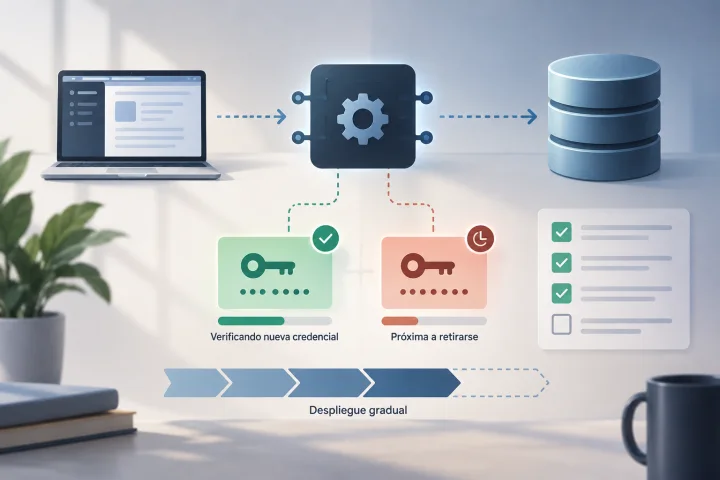
How to Rotate API Credentials Without Leaving a File Integration Halfway Done
A guide to preparing, deploying, verifying, and retiring API credentials with controls that reduce the risk of disrupting file workflows.

APIs and automation
Null, Empty, Zero, or Missing: How to Avoid Changing Meaning in JSON for an API
Distinguish values in a JSON payload and consult the endpoint contract before deciding what to send.
APIs and automation
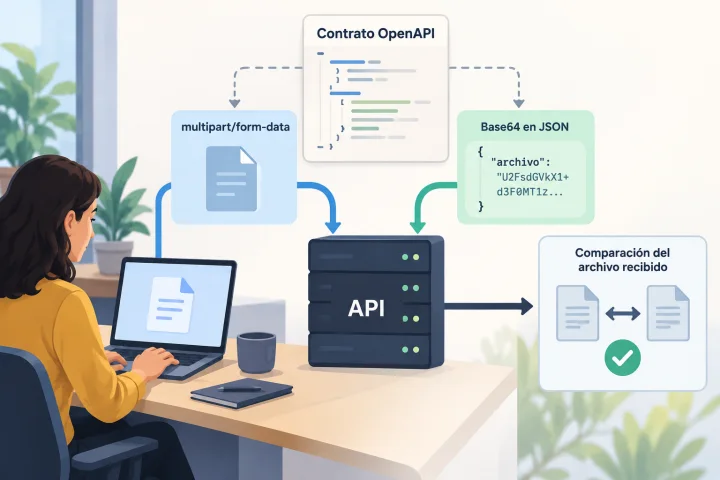
Uploading Files to an API: Multipart or Base64 and How to Prevent Corrupted Uploads
The right representation depends on each endpoint’s contract. Learn how to inspect it, build compatible requests, and verify the received file before putting the integration into production.