APIs and automation
Automating file transformations with APIs: from a guided wizard to a verifiable flow
A practical guide to turning manual file conversion, optimization, or processing tasks into a repeatable flow with Cloud, OpenAPI, permissions, and signed webhooks, without assuming undocumented transformation endpoints.

When to automate and when to keep the guided wizard
Automating file transformation with APIs is worthwhile when the process is already defined, repeated frequently, the OpenAPI specification confirms the available operations, and the team needs to reduce human variation. If office documents are converted every week, images are optimized, PDFs are processed, audio files are prepared, or downloadable versions are generated for clients, the goal is not to “make it faster” in the abstract: it is to turn a known sequence into an operational contract. That contract must state what goes in, what transformation is expected, where the result is stored, who reviews it, and when it can be shared.
The File Transformation guided wizard is still better when the criteria are still being discovered. Apification presents it as a flow for converting, splitting, merging, optimizing, and processing documents, images, video, audio, and data. First, the real file type and subtype are selected, then the compatible files, a contextual action, and the specific parameters. This interface reduces selection errors because it only offers actions compatible with the format, subtype, and number of files. Use it to stabilize the process before moving it into an integration.
- Automate if the input, action, result, and documented operation are predictable.
- Keep the wizard if the team is still comparing formats, parameters, or review criteria.
- Do not automate poorly understood exceptions: document them first with manual cases.

Define the functional contract before touching the API
The first deliverable should not be code, but a transformation sheet. Include the input category, real subtype, number of accepted files, expected action, parameters, output name, destination folder in Cloud, and downloadable format. The categories supported by the transformer cover text, data, office documents, spreadsheets, presentations, PDFs, registered images, video, and audio. For batches, remember one important restriction: batch transformations only accept compatible files of the same type.
It is also useful to define the naming and traceability policy. Apification generates results with a readable name that reuses the original name and adds the date and time, which helps identify downloads or saved resources. In an automation, respect that logic or add an equivalent convention: process identifier, date, contract version, and review status. Avoid making “final_file.pdf” the only indicator of validity; in real operations, the name must make it possible to distinguish origin, attempt, result, and human approval.
- Minimum contract: input, action, parameters, output, location, owner, and acceptance criteria.
- Include rules for batches: same type, compatibility, and handling of rejections.
- Define names that do not depend on human memory or temporary folders.

Separate original, project, and transformed result
A good integration must not confuse the source file with the transformed deliverable. File Transformation is non-destructive by default: the source is preserved and the result is an independent file that can be reviewed and downloaded before deciding whether to save it in Cloud. The documentation also clarifies that transformations generate a new result without replacing the source, unless a versioning operation is explicitly chosen. This separation is key for operational auditing, quality review, and recovery from errors.
Design folders or conventions that reflect three states: received originals, projects or work in progress, and approved results. Apification Cloud stores files, folders, editable services, and generated results within the same workspace, with item history, download of previous versions, and restore. If the flow produces an incorrect result, it must not overwrite a valid deliverable. If the result is saved in Cloud, it takes up storage; if it is only downloaded, storage consumption does not apply to that saved result because it has not been created as a Cloud resource.
- Never overwrite the original as implicit behavior.
- Save results in a reviewable area before moving them to delivery.
- Use history and versions to recover content when appropriate.
Use OpenAPI as a verifiable reference and protect credentials
The REST API and OpenAPI reference must be the verifiable source for what the integration can call. Do not invent endpoints from internal names or replicate wizard steps by assuming undocumented routes. The right work is to compare the functional contract against the available specification: operations, schemas, parameters, authentication, responses, and errors. If an action does not yet appear as an integrable operation, keep it in the wizard or redesign the flow around documented Cloud, download, sharing, or available service capabilities.
Security must be decided before implementing the first screen. As a general web design rule, do not bring server credentials into the browser or trust the client to hide sensitive data. Use a controlled backend to safeguard credentials and apply permissions, or embedded integration mechanisms where appropriate. OpenAPI can describe security schemes, but describing them does not replace operational secrets management. In REST, treat 401 as an authentication problem, 403 as a lack of authorization, and other 4xx or 5xx codes as signals that must be logged and converted into actions operations teams can understand.
- Review the OpenAPI specification before coding.
- Do not expose server tokens in browser JavaScript.
- Log HTTP status, functional message, user, file, and attempt correlation.
Prepare test files and review criteria
Before activating an automation, build a test set that represents real work and its edge cases. Include normal cases, large files, boundary formats, documents with tables, heavy images, and media with tracks or subtitles. For data, test CSV, TSV, JSON, or XML where applicable; for documents, test office files, spreadsheets, presentations, and PDFs; for media, cover audio and video. If you use SVG or SVGZ, remember that active content and external references are removed before storage, so you must validate that the result remains useful for the intended goal.
Review should not be limited to “the file exists.” Define checks by type: that tables remain readable, that an optimized image keeps sufficient quality, that the PDF preserves the expected pages, that an exported audio file is playable, or that a rendered video contains the necessary tracks. Heavy transformations may run in the background and expose status, progress, and errors; that is why the flow must account for waiting, status checks, and later review. When the platform displays an estimate before running a transformation, use it as an operational checkpoint, especially if the process consumes credits.
- Test normal, large, and edge cases before production.
- Review content, not just file extension or size.
- Include a human decision when the result affects critical deliverables.
Permissions, links, and transformed downloads
The automation must respect the privacy model. In Apification Cloud, resources are private by default and can be shared with users or groups without making them public. New transformation results also remain private until their visibility is changed. This allows the flow to generate a reviewable output without publishing it automatically. Separate execution permissions, review permissions, and download permissions: not everyone who requests a conversion should be able to approve or distribute it.
Cloud supports original or transformed downloads from the sharing flow. In practice, this makes it possible to design deliveries where an authorized user accesses the source file or a compatible format generated for download. The operational decision matters: sharing the original may be correct for internal collaboration; sharing a transformed version is usually preferable for external distribution or controlled delivery. Document who can launch the transformation, who can review the result, who can change visibility, and who can download the final output.
- Keep results private until review.
- Use users or groups to share without publishing unnecessarily.
- Differentiate original download and transformed download according to the use case.
Design failure responses and signed webhooks
Failures must have a planned response. If the format is not compatible, the flow must reject it before starting work. If permission is missing, return an operational explanation and log the attempt. If there are not enough processing credits or storage is occupied, do not retry indefinitely: escalate to the responsible person. If the required processing engine is not available, Apification indicates that the operation may not be offered or may return a specific error; the source file remains intact and no incomplete result is saved. That property prevents damage to the source, but it does not replace an error review queue.
When the system needs to react to Cloud actions, incorporate signed webhooks. Apification allows Cloud actions to be connected through APIs and signed webhooks with retries, history, and statistics. Even so, design deduplication in your receiver as a technical recommendation: store an event identifier or a functional fingerprint, process idempotently, and avoid creating two results from the same notification. Treat webhooks as a signal of change, not as a promise that the entire external flow has already finished correctly; confirm status, permissions, and result availability before notifying end users.
- Do not save incomplete results as deliverables.
- Classify errors: compatibility, permissions, credits, storage, processing, and failed review.
- Implement webhook receivers that are idempotent and keep an event log.
Frequently asked questions
Should I replace the guided wizard with an API from day one?
Not necessarily. Use the wizard to stabilize type, subtype, action, and parameters. Automate when the process is repeatable and the OpenAPI specification confirms the available operations.
Does a transformation replace the original file?
By default, no. File Transformation preserves the source and generates an independent result that can be downloaded or saved in Cloud, unless a versioning operation is explicitly chosen.
When does a transformed result consume storage?
The result consumes storage when it is saved in Cloud as a resource. If it is only generated for download and is not saved in Cloud, that stored resource is not created.
Can I share an output without making the original public?
Yes. Cloud keeps resources private by default and allows sharing with users or groups. You can also offer original or transformed downloads according to permissions and the sharing flow.
What basic precaution should I take with webhooks?
Use signed webhooks and design the receiver with deduplication and idempotency. Retries, history, and statistics help, but your system must avoid processing the same event twice.
Sources and further reading
Documentation consulted while preparing this article.
- Apification REST API reference — Apification
- Apification Transformación de archivos — Apification
- Apification Transformador de archivos documentation — Apification
- Apification Cloud — Apification
- Apification Automation and webhooks — Apification
- OpenAPI — Describing API Security — OpenAPI Initiative
- OWASP AJAX Security Cheat Sheet — OWASP
- OWASP REST Security Cheat Sheet — OWASP
- MDN HTTP response status codes — Mozilla Developer Network
Explore Apification
Related articles
APIs and automation
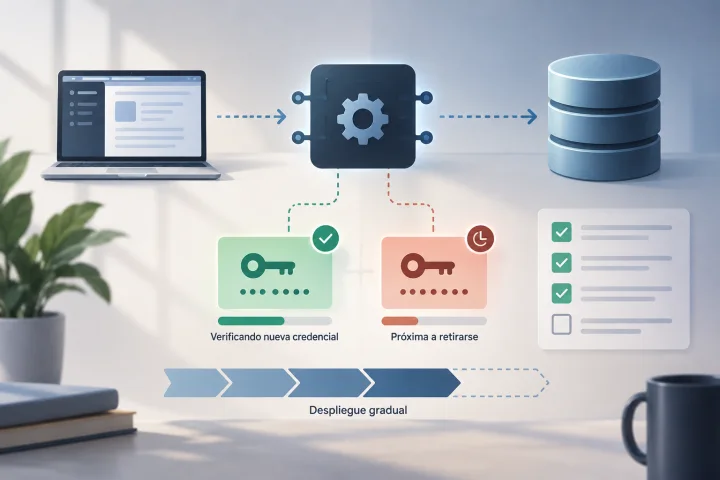
How to Rotate API Credentials Without Leaving a File Integration Halfway Done
A guide to preparing, deploying, verifying, and retiring API credentials with controls that reduce the risk of disrupting file workflows.

APIs and automation
Null, Empty, Zero, or Missing: How to Avoid Changing Meaning in JSON for an API
Distinguish values in a JSON payload and consult the endpoint contract before deciding what to send.
APIs and automation
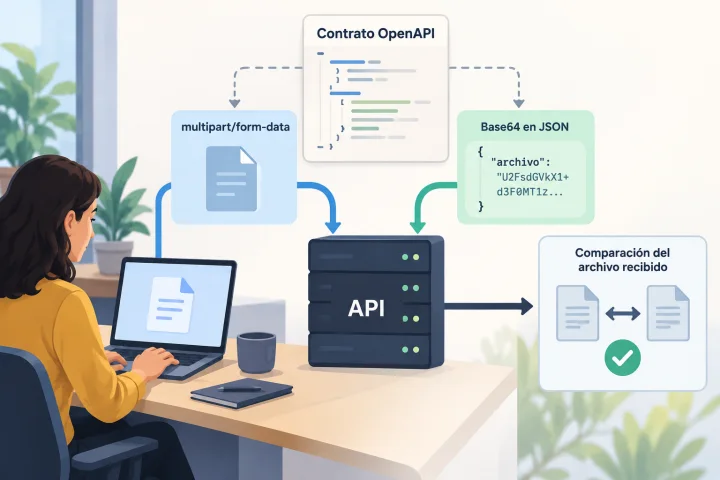
Uploading Files to an API: Multipart or Base64 and How to Prevent Corrupted Uploads
The right representation depends on each endpoint’s contract. Learn how to inspect it, build compatible requests, and verify the received file before putting the integration into production.