Files and formats
How to Identify a File’s Real Format Before Converting or Importing It
Compare the available clues before importing a file, then decide whether to request a new export or run a controlled test. Keep the original and review the result.

Why a file’s name isn’t enough
If a file has an unexpected extension or doesn’t open as you expected, changing its filename suffix doesn’t confirm that its contents match the required format. Microsoft documentation notes that detecting a file’s format can be complex. The linked Microsoft Learn reference is in Spanish; consult it as a general reference, and treat the name as a clue rather than confirmation: [Microsoft Learn: Detección del formato de un archivo](https://learn.microsoft.com/es-es/windows/win32/wmdm/discovering-a-files-format).
The name may describe what someone expected to receive, while the person or system using the file may require a specific format. Changing the extension changes the visible name; it should not be treated as a conversion or proof that the file meets the destination requirements. If a file is renamed, keep a record of its received name so that you can explain what changed.
Start by establishing the intended use. Who provided the file? What will you do with it? Which format does the receiving person or system require? If any answer is unclear, ask for clarification before changing the file or beginning an import. A stated requirement is more useful than a guess based only on the filename.
Also consider the consequence of getting the decision wrong. A low-impact test that can be reviewed before use is different from an import that will immediately be relied on by others. When the impact is significant, pause and request clarification or a new export instead of treating an uncertain clue as approval to proceed.

Compare the available clues
Write down the exact filename and visible extension as received. If your system reports a file type, note that wording separately rather than treating it as a definitive answer. Add any information supplied with the file, such as the format the sender says they exported. These are observations to compare, not a reason to silently select one clue over another.
If the clues conflict, record the discrepancy. For example, note that the filename suggests one format while the accompanying message names another. Keep the exact words used by the sender and ask them to confirm which format was intended. If the destination’s requirement is available, record where it came from so you can compare the file with that requirement.
Microsoft’s available documentation highlights that format detection can be complex. The supplied reference is Spanish-language and makes a general point; it does not settle what a particular file contains. Information provided with the file can guide your inquiry, but if the required format remains unclear, ask the source or the team responsible for the destination.
Aconvert advertises a tool that analyzes binary signatures to identify a file’s format. The linked page is in Spanish, and its service description does not demonstrate accuracy or support general conclusions about the method. Treat any output as one additional observation, not as a decision on its own: [Aconvert: Analizar el formato de archivo en línea](https://www.aconvert.com/es/analyze.html). Compare it with the other available information and follow up on disagreements.
Before uploading a file to an external analyzer, consider what it contains and your organization’s rules. Don’t send sensitive material to a service that isn’t authorized to handle it. If you cannot use an approved tool, consult the responsible team or ask the sender for a new export. If you do run a check, note which tool you used and what it reported, and keep that result distinct from confirmed destination requirements.

A cautious decision-making workflow
Keep the received file unchanged. If you decide to test a conversion or import, make a clearly identified copy and keep it separate from the original. Record who provided the file, the filename and extension as received, the format that was expected, and the clues you observed. This makes it easier to explain what you tested and what remains uncertain.
Before testing, decide what the test is meant to establish and what would count as a reason to stop. For example, you might need confirmation from the source or a result that can be reviewed against the destination’s stated requirements. Don’t expand an uncertain test just because the first attempt produced an output; if the condition for proceeding is not met, pause and ask for help.
If the risk is low and you choose to proceed, keep the test separate from the received file. Record the action you took, including which copy you used and which operation you ran. Then review the result against the destination requirements before using or sharing it. A result that cannot be reviewed is not a reason to assume that the requirement has been met.
If you cannot review the result before integration, ask the team responsible for the destination to help assess it or clarify what to request from the source. When there is a significant discrepancy, when the impact of an incorrect import is high, or when the relevant requirement is unknown, pause the import and request clarification or a new export.
Keep a clear distinction among what is known, what is reported, and what is still pending. That distinction helps prevent a filename, an analyzer output, or an attempted conversion from being mistaken for confirmation. Match the next step to the risk, and do not share a test result as if it were the original unless that is the intended delivery.
- Keep the original intact and label the test copy clearly.
- Record the sender, received filename and extension, expected format, and available clues.
- Note any discrepancies and the tool or action used during a test.
- Pause and request clarification when the requirement is uncertain or the risk is high.
- Review the result against the requirement before use or sharing; ask the responsible team for help if you cannot review it before integration.
Organize your work with Apification Cloud
Apification Cloud lets you manage files, services, and projects in an organized, versioned workspace designed for sharing. Its history lets you review versions, download previous versions, and restore content. Those features can help you keep track of the original and the result, but they do not verify a file’s format by themselves. Continue to check the file against the destination’s requirements.
The Apification Cloud guided wizard lets you convert, split, merge, optimize, and process documents, images, video, audio, and data. Use a transformation only when it fits the task, and keep the original available for comparison. Do not assume the wizard automatically detects an incorrect extension; confirm the destination requirement before starting a transformation and review the outcome before relying on it.
When you keep both an original and a test result in a workspace, label them so that their roles are clear. Record which version you reviewed and which, if any, you intend to deliver. Cloud history can help you review prior versions, download them, or restore content, but it does not replace your own record of the test action or the requirement you used to assess the result.
After reviewing the result, you can share items using links, users, or groups and choose whether to offer a download of the original or a transformed version. Check which version you are sharing and select the option that matches the purpose of the delivery. Follow your organization’s authorized tools and procedures for material subject to its rules.
Checklist for the next file delivery
Use a short record to capture what arrived, what the destination requires, and how you decided to proceed. Include who provided the file, its exact received filename and extension, and the source of the stated requirement. If something is unknown, mark it as pending confirmation rather than filling in the gap by intuition.
For any test, record the action taken and identify the copy used. Keep the original and test copy distinct, and note which version you reviewed. Before sharing, confirm whether the delivery should contain the original or a transformed version. If the result cannot be reviewed against the requirement, leave the import paused and consult the responsible team.
- Who provided the file, and what filename and extension did it have when received?
- What format does the destination require, and where did that requirement come from?
- Which clues were available, and were any of them inconsistent?
- Was a test run? Record the action and identify the copy used.
- Is the original still intact and distinct from the test copy?
- Which version was reviewed, and was the result checked against the requirement?
- Which version will be shared, or is clarification still pending?
Frequently asked questions
Does changing the extension confirm that the file has a different format?
No. Changing the name isn’t confirmation of a conversion. The extension is one clue; compare the available information with the destination’s requirements.
Does a signature-analysis tool always confirm the format?
No. Aconvert advertises a binary signature analysis service, but the linked page is in Spanish and its description does not demonstrate accuracy or allow its results to be generalized.
Can I upload any file to an external analyzer?
Not necessarily. Don’t send sensitive files to services your organization hasn’t authorized to handle that material. Use an approved tool or consult the responsible team.
Does Apification Cloud automatically detect an incorrect extension?
Don’t assume so. Cloud’s verified features include a guided wizard for transforming different types of content, but they do not establish that it automatically detects mislabeled formats.
Sources and further reading
Documentation consulted while preparing this article.
- Detección del formato de un archivo — Microsoft Learn
- Analizar el formato de archivo en línea — Aconvert
Explore Apification
Related articles

Files and formats
How to Validate a File Conversion Before Sharing the Result
Opening the converted file is not enough. Learn how to check its content, presentation, and compatibility for its intended use without losing the original.

Files and formats
File Conversion Requests: What to Ask Before Transforming a Document, Image, Audio, or Video
A practical workflow for receiving complete requests, storing originals in Cloud, transforming files with clear criteria, and delivering reviewable results without losing traceability.
Files and formats
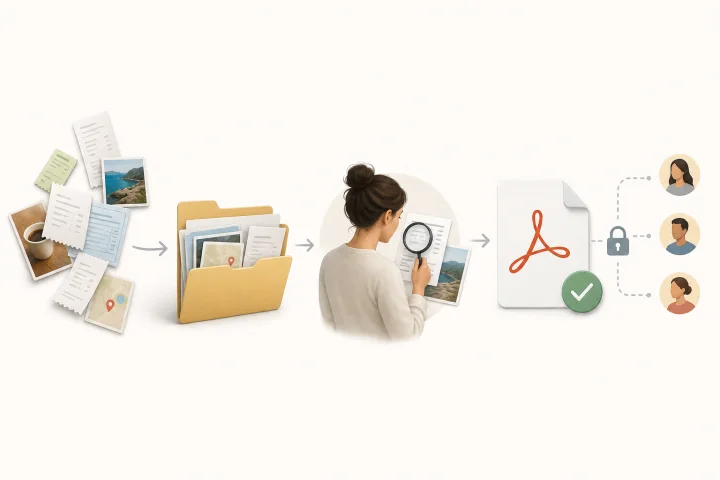
Convert Images to PDF: Order, Review, and Deliver Without Losing the Originals
A practical guide to preparing receipts, screenshots, or photographed pages, converting them into a reviewable PDF, and sharing it without losing originals or versions.