Documents and data
A Data Dictionary for a CSV: How to Document Every Column
A CSV can open without errors and still be difficult to interpret. Learn how to document names, types, codes, missing values, units, and dates with a practical template.
A Readable CSV Is Not Always an Interpretable CSV
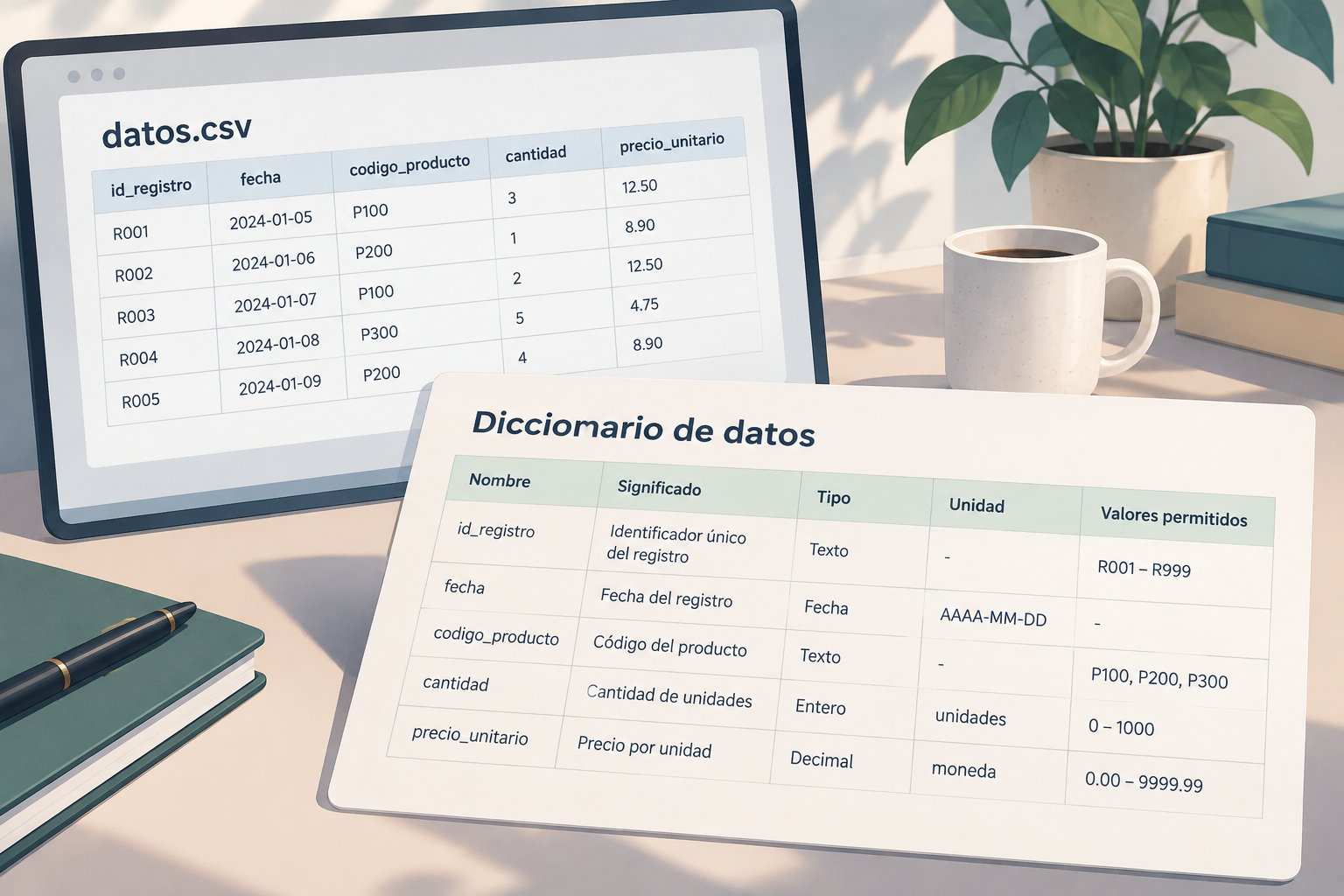
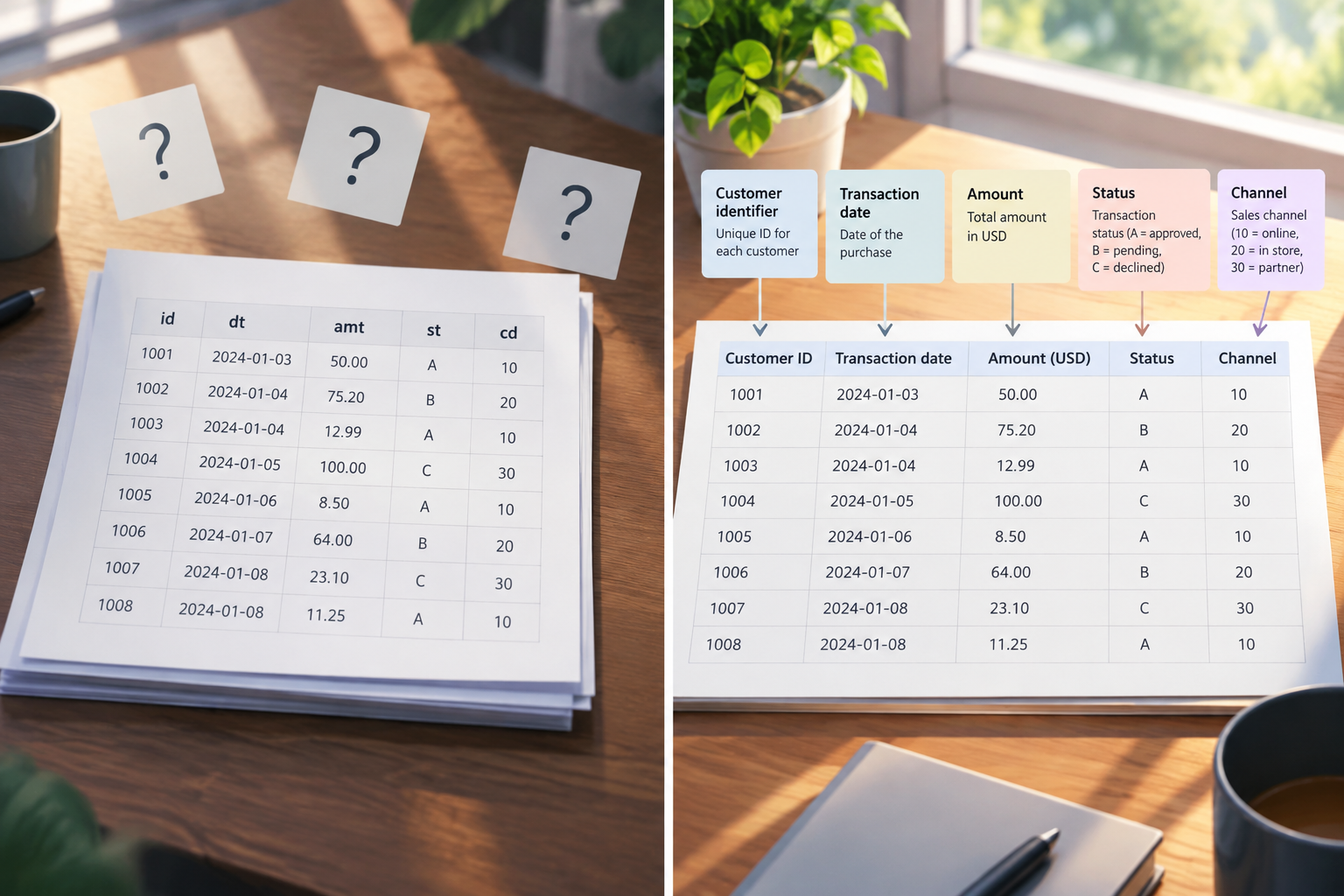
A CSV file can open correctly in a spreadsheet and still leave basic questions unanswered: What does each column represent? Is a value such as “3” a quantity or a code? Does an empty cell mean that something does not apply, or that the data is unknown? The format arranges values in rows and columns, but it does not explain the meaning of each field or whether it must be complete. The [CSV Tabular Data Guide from datos.gob.es](https://datos.gob.es/sites/default/files/doc/file/guia_csv_vf.pdf) notes that CSV has no mechanism for specifying a column’s data type or whether its values are required. This lack of context can lead two teams to interpret the same dataset differently.
A data dictionary resolves that ambiguity by describing each column and setting out explicit rules for interpretation. It does not replace the CSV or correct its data; it accompanies the delivery so that recipients can understand and use it consistently. It is especially useful when a file is passed between departments, integrated into another system, or updated frequently. The practical goal is for someone who did not help create the file to recognize what each value means and what to do with an exception.
- If a column contains codes, do not assume their meaning is obvious.
- If data can be missing, specify what each form of absence represents.
- If a number has a unit, currency, or scale, document it alongside the field.
What It Documents—and What It Does Not
The dictionary describes the content: variable names, meaning, expected type or format, units, and, where applicable, coded values with their labels. It can also state whether a field may be missing and how to interpret a null value. For example, saying that “status” uses codes is not enough; you must identify what each code represents. In its description of dictionaries, DANE includes the variable name, its type or format, and, for coded categories, the code and its corresponding label. The documentation should match the table’s actual structure: each documented field corresponds to a column, and each observation or record occupies a row.
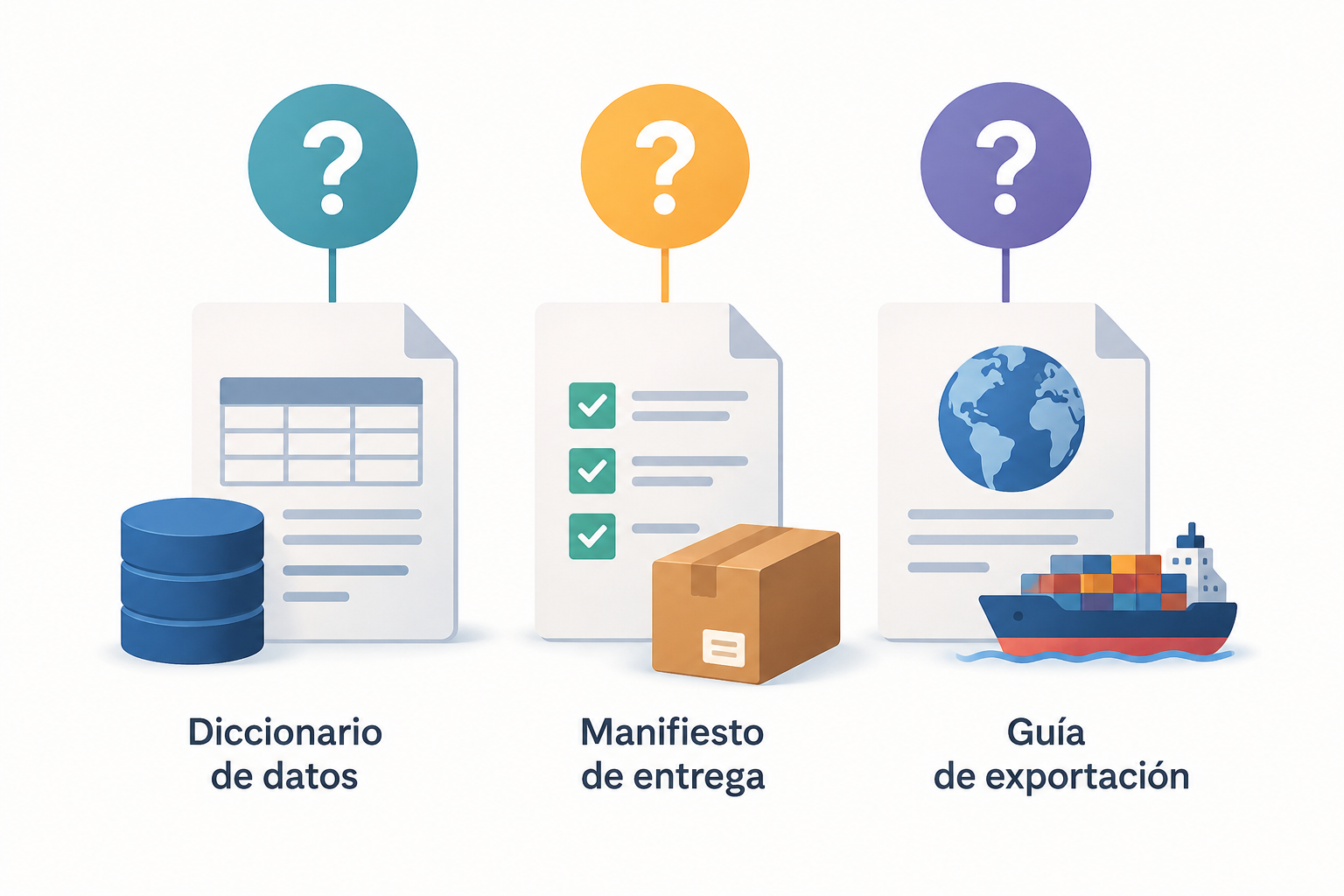
Do not confuse it with a delivery manifest, which may identify files, dates, or versions received, or with an export guide, which explains how the file was generated. These documents can complement each other, but they answer different questions. A dictionary is also not the place to repeat data rows or list every file in a folder. Keeping these purposes separate makes updates easier: change the description when a rule or field changes, and update the delivery information when the shared package changes.
- Dictionary: what each column means and how to interpret its values.
- Manifest: which files are included in a delivery.
- Export guide: how the file is obtained or prepared.
A Minimal Template for Each Column
Start with one documentation row for each CSV header. Include the column’s exact name so it is easy to match the entry to the file. Add a specific description, the expected type or format, the unit if applicable, the allowed values or vocabulary it uses, and whether the field can be missing. Record any additional rules too—for example, if a field is calculated from others. A useful definition clarifies how to interpret the field; it does not merely rephrase its name. The [DANE guide to procedures for administrative records](https://www.dane.gov.co/files/sen/registros-administrativos/cooperacionBID/peru/peru_procedimientos.pdf) describes elements of a variable entry such as its name, type or format, and, where applicable, its code and label.
Do not leave essential fields to the reader’s judgment. “Date” is too general if it matters whether the field records the creation date or the closing date; “amount” is incomplete without a currency or unit; “category” does not explain which options are valid. If the dataset does not yet have a fixed rule, mark it as pending rather than presenting an assumption as a standard. Keep descriptions concise, but include enough detail for people to make decisions without consulting the person who produced the file.
- column_name: identical to the CSV header.
- meaning: what it represents and, if helpful, what it does not represent.
- type/format: for example, text, integer, or a date in a defined format.
- unit: for example, units, kilograms, or a specified currency.
- allowed_values: applicable codes, labels, or vocabulary.
- missingness: whether absence is allowed and how it is encoded.
- rule: source or calculation, when the field is derived.
Fictional Example: Codes, Nulls, Dates, and Calculations
Consider a fictional order-tracking file with no personal data. The “status” field could be text with the allowed values “open,” “in_progress,” and “closed,” or it could use numeric codes. If codes are used, the dictionary must map each one to its label, for example: 1 = open, 2 = in progress, 3 = closed. This example does not establish a universal convention; it shows why the mapping must be written down and why the same coding should be used for the same concept in related deliveries.
For “close_date,” document that it is the date the order is closed, the expected format, and whether it may be empty while the order remains open. If the time matters, also specify the time zone or the timekeeping rule used; do not leave different readers to infer it. For “total_amount,” state the currency and whether the field is calculated from other values. If a calculated column uses rounding or another rule, describe it in operational terms. These details make an example interpretable without turning it into a rule for unrelated datasets.
- status: 1 = open; 2 = in progress; 3 = closed.
- close_date: date the order is closed; may be missing while the order is not closed.
- total_amount: amount in a specified currency; note the calculation rule if applicable.
- quantity: number of units; do not confuse a quantity of zero with missing data.
Define Missing Values, Units, and Vocabularies
The distinction between zero, blank, and unknown is fundamental. Zero can be a real value; an empty cell can mean absence; and a code such as “-1” might represent data that was not obtained, if that is how it has been defined. These are not equivalent. The [Open Data Quality Guide from datos.gob.es](https://datos.gob.es/sites/default/files/doc/file/guia_calidad_de_datos_abiertos.pdf) states that zero should be represented as “0” and that an unknown or unobtained value should be explained, with the code used specified in the dictionary. If blank spaces can have several interpretations, describe them explicitly; the [Guide to Open Data Publication from Datos Argentina](https://datosgobar.github.io/paquete-apertura-datos/pdf/anexo-II-guia-abiertos.pdf) also recommends making these interpretations explicit. If blank spaces always indicate absence, document that rule without inventing additional categories.
For categorical fields, list the valid options and their meanings, and use consistent coding for equivalent concepts. For numeric fields, specify the unit or currency; “12” is not enough to tell whether the value means pieces, hours, or a monetary sum. The [CSV Tabular Data Cheat Sheet from datos.gob.es](https://datos.gob.es/sites/default/files/doc/file/cheat_sheet_csv_vf.pdf) recommends documenting the units associated with numeric values and maintaining consistent coding. For dates and times, clarify the format and time zone where relevant, and describe the event the field records. These details reduce reading and integration errors, but do not by themselves guarantee that every value in the CSV complies with the rules: the file still needs to be checked.
- Distinguish a zero value, an empty cell, and a code for unknown or unobtained data.
- Explain whether missing values are allowed and under what conditions.
- Specify units, currency, format, and time zone when relevant.
- Define categories and codes with their corresponding labels.
Review the CSV and Dictionary as a Single Delivery
Before sharing, compare the CSV headers with the dictionary entries one by one: look for undocumented columns, outdated names, and documented fields that no longer appear. Then check the examples and allowed values against the actual data. If the dictionary says a field accepts only three codes, check that the observed values match that list or record and resolve the exception. Reviewing the two together can reveal contradictions that are easy to miss when checking each file separately.
It is helpful to have someone who did not prepare the data review it. Ask them to explain what a column means, how they would treat an empty cell, and what unit they would assign to a number. If they have to guess, improve the documentation. Keep an editable copy for future reviews and link each dictionary to the specific CSV delivery it accompanies. When the schema or a rule about meaning changes, update the documentation at the same time; do not rely on an informal note or a filename to reconstruct the context.
- Check that headers and dictionary entries correspond exactly.
- Compare codes, units, formats, and examples with the data.
- Look for conflicting rules about required values and missingness.
- Record which version of the dictionary accompanies each CSV.
- Ask someone outside the data preparation process to interpret a few fields.
References and Keeping the Documentation
These guides support the recommendations on tabular structure, variable entries, codes, units, and missing values. Consult the sources to review their conventions and apply them according to your dataset’s needs:
Keep the CSV and its dictionary together, or use a structure that makes it unmistakable which documentation belongs to each file and version. Apification Cloud lets you organize files and projects in a versioned space designed for sharing; it also lets you create and edit office files with ONLYOFFICE within Cloud. This can help you keep the documentation editable alongside the data. When sharing, clearly identify both items and the delivery they belong to. The tool helps organize and share files; defining their meaning and checking consistency remain the team’s responsibility.
- CSV Tabular Data Guide, datos.gob.es: https://datos.gob.es/sites/default/files/doc/file/guia_csv_vf.pdf
- Cheat Sheet: CSV Tabular Data, datos.gob.es: https://datos.gob.es/sites/default/files/doc/file/cheat_sheet_csv_vf.pdf
- Open Data Quality Guide, datos.gob.es: https://datos.gob.es/sites/default/files/doc/file/guia_calidad_de_datos_abiertos.pdf
- Procedures for Administrative Records, DANE: https://www.dane.gov.co/files/sen/registros-administrativos/cooperacionBID/peru/peru_procedimientos.pdf
- Guide to Open Data Publication, Datos Argentina: https://datosgobar.github.io/paquete-apertura-datos/pdf/anexo-II-guia-abiertos.pdf
- Name both files so their relationship is clear.
- Keep an editable version of the dictionary with the corresponding delivery.
- Use version history to review or restore earlier versions when needed.
Frequently asked questions
Should a data dictionary include a row for every value in the CSV?
No. It normally documents each column and its rules. For a coded column, it is useful to include the mapping between codes and labels, but you do not need to reproduce every record.
How should I document an empty cell?
State whether it represents missing data and what that means for the field. If it can have more than one interpretation, describe each case and how to distinguish it. Do not automatically equate it with zero.
Can I use a spreadsheet as a data dictionary?
Yes. An editable table is a practical way to maintain an entry for each column. The important thing is to define the fields clearly and ensure that the documentation matches the version of the CSV being delivered.
Does a dictionary guarantee that the CSV follows its rules?
No. It explains the rules and makes interpretation easier, but the file must be checked against the documentation. Reviewing them together helps uncover discrepancies and exceptions.
Sources and further reading
Documentation consulted while preparing this article.
- Guía de datos tabulares CSV — datos.gob.es
- Guía de calidad de datos abiertos — datos.gob.es
- Cheat sheet: datos tabulares CSV — datos.gob.es
- Procedimientos para registros administrativos — Departamento Administrativo Nacional de Estadística (DANE)
- Guía para la publicación de datos abiertos — Datos Argentina
Explore Apification
Related articles

Documents and data
Hidden decimals in Excel: How to avoid differences between what you see and what you export
A guide to distinguishing how a number looks from the calculation rule you need, checking discrepancies, and verifying an export before sharing it.

Documents and data
Hidden Rows in Excel: How to Check a Sheet Before Sharing
A sheet that looks incomplete has not necessarily lost data. Learn to check filters, hidden rows, and expected records before sharing a copy.

Documents and data
How to Make a Spreadsheet More Accessible for Screen Readers
A practical guide to organizing sheets, headings, and tables, reducing navigation barriers, and testing the file before sharing it.