Documents and data
Convert Nested JSON to CSV: Flattening and Array Choices
Learn how to choose record nodes, flatten objects, and define rules for arrays. Follow conceptual examples, compare possible structures, and check the CSV preview.

What to decide when converting nested JSON to CSV
JSON can contain nested objects and arrays, while CSV organizes information into rows and columns. To move between these structures, decide which element represents a row and which fields will become columns. Conversion involves choosing how to represent data that does not fit directly into a flat table.
Datablist's tool lets you select nodes to use as rows, choose objects to flatten, define rules for arrays, and preview the CSV before downloading it. The result depends on your choices, so review the settings and preview rather than assuming how each field will be represented.
Examine the JSON structure and identify the records and information you need in the final table. A file may include fields you do not need for the export; deciding what to keep is part of designing the table.
- Decide which JSON node represents each row.
- Choose which nested objects you want to flatten.
- Define a rule for arrays.

Example: Flattening a nested object
Consider this hypothetical example, where each order represents a row and fields in the “customer” object become columns. The input contains one order to illustrate flattening: selecting fields inside another object and representing them as table columns.
Input JSON: {"order_id": "P-104", "customer": {"name": "Lucia", "city": "Seville"}, "total": 48.5}
One possible CSV representation for that choice is: order_id,customer_name,customer_city,total P-104,Lucia,Seville,48.5
In this proposal, customer_name and customer_city indicate which fields from the customer object have been brought into the table. These names are illustrative; the cited sources do not attribute this convention to Datablist or guarantee that another tool will name columns this way. Check the preview if you need headers in a specific format.
Flattening the fields you need makes them available as separate columns. A different structure or leaving an object unflattened may produce another representation, so compare the preview's headers and values with the original fields.
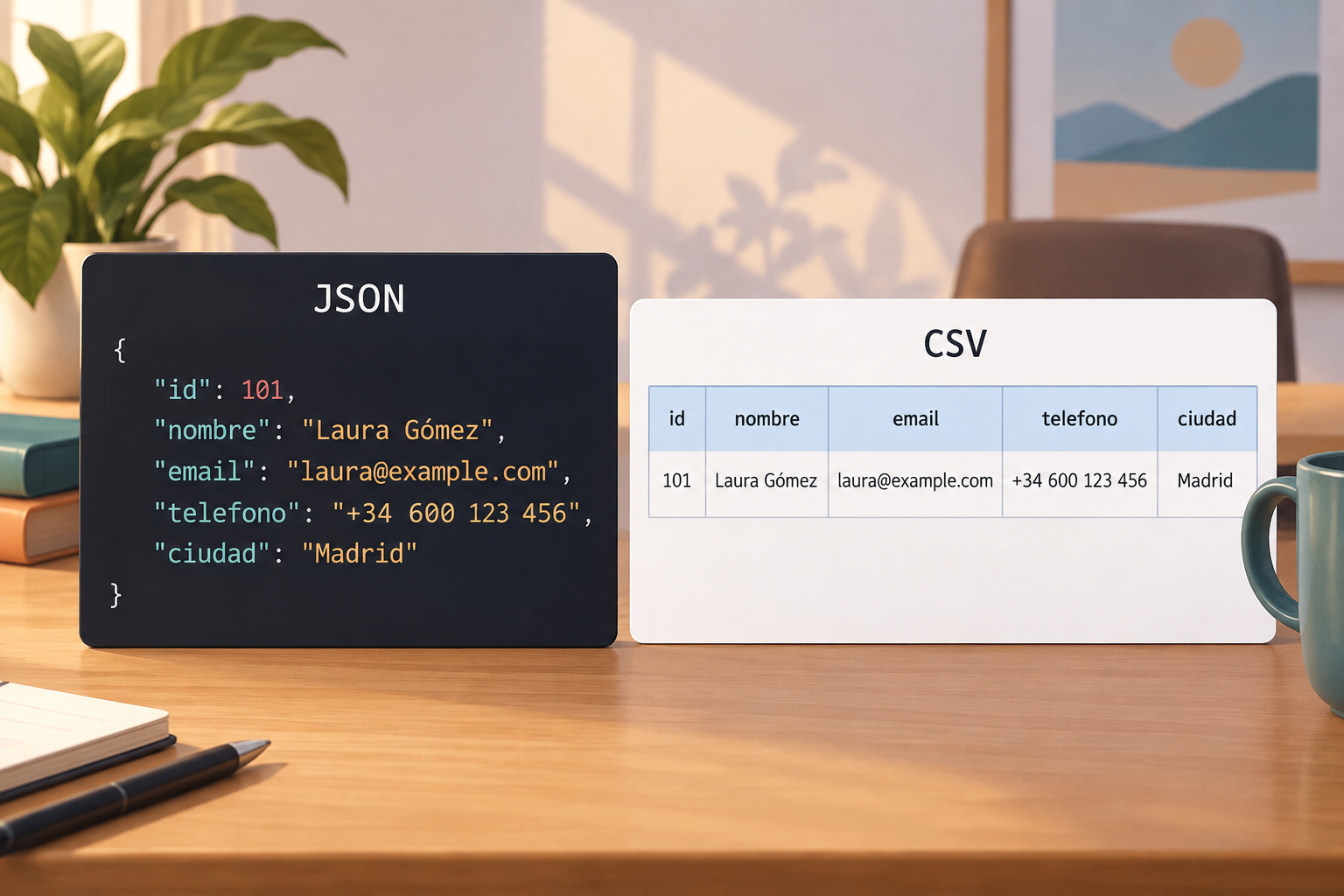
How to think about arrays: Two possible representations
Arrays need a conversion rule. Datablist says its converter lets you define rules for arrays, but the available evidence does not specify how it handles particular cases, including arrays of different lengths, empty arrays, missing fields, or null values. The following example is a conceptual model of possible tabular layouts, not a description of Datablist options or guaranteed results.
Suppose an order has two tags: “urgent” and “gift.” One illustrative representation could reserve columns by position, such as tag_1 and tag_2, and keep the order in one row. Another could use a row for each tag, repeating the order identifier: P-104 with “urgent” in one row and P-104 with “gift” in another. Neither example claims that the converter generates these structures automatically.
These layouts have different consequences in the example. If another record has more elements than the represented positions, a position-based layout would need a decision about how to accommodate them. A row per element displays each tag separately but repeats the order identifier. These are consequences of the hypothetical tables, not claims about a particular tool's behavior.
Before using a CSV, test the preview with representative arrays, including arrays of different lengths where relevant, as well as records with missing fields or null values. Compare the preview with the source JSON; the available evidence does not document how these cases are handled.
- Treat the example representations as possible layouts, not results attributed to Datablist.
Methods mentioned for converting JSON to CSV in Python
Bright Data mentions the csv, json, and pandas libraries as methods for converting JSON data to CSV in Python, and notes that each method has advantages. The available evidence here does not detail those differences or prescribe a specific implementation, so it does not establish that one library is best for a particular structure.
When choosing a method, describe the file structure and the tabular result you need: which element will be a row, which fields should become columns, and what decision you have made about arrays. Then consult the method's documentation to confirm its options and behavior with that structure.
Do not assume that a rule in a visual converter applies in the same way to a Python library, or that the three names cited imply identical results. If you compare methods, use the same test JSON and review the resulting tables against the same criteria.
Preview and review the conversion
Previewing is one of the options described for Datablist's converter. Use the preview to see whether the selected node, object flattening, and array rules produce a table that matches your expectations before downloading the CSV.
Follow one or more values from the JSON into the preview. Check which row and column represent each value, and whether the headers describe the fields you wanted to include.
If the result does not match your expectations, revisit your choices before downloading. To keep the original and working results organized, Apification Cloud offers a versioned workspace and lets you review item history. This can help you locate versions of working files; it does not validate the conversion or replace a review of the CSV content.
- Check headers and trace values from the JSON into the preview.
- Keep the source JSON and working CSV easy to locate.
Technical sources consulted
Datablist, “JSON to CSV Converter”: https://www.datablist.com/es/tools/json-to-csv. The available evidence describes selecting nodes to use as rows, flattening objects, defining rules for arrays, and previewing before downloading.
Bright Data, “How to Convert JSON Data to CSV in Python?”: https://brightdata.es/faqs/json/convert-json-data-to-csv. The available evidence mentions the csv, json, and pandas libraries.
The table examples in this guide are illustrative and are not claims about a specific converter's output.
Frequently asked questions
What should I decide before converting nested JSON to CSV?
Decide which node represents a row, which objects you want to flatten, and how you want to handle arrays. Datablist offers options for these choices and a CSV preview.
How is a nested object represented in CSV?
You can choose to flatten its fields into columns. For example, an illustrative representation could show customer.name and customer.city as customer_name and customer_city.
How should I check records with missing fields, null values, or arrays of different lengths?
The available technical evidence does not specify how each converter handles these cases. Test representative records in the preview and compare the result with the source JSON before using the CSV.
Which Python libraries are mentioned for converting JSON to CSV?
Bright Data mentions csv, json, and pandas. Consult the documentation for your chosen method to learn about its options and behavior with your data structure.
Sources and further reading
Documentation consulted while preparing this article.
- Convertidor de JSON a CSV — Datablist
- ¿Cómo convertir datos JSON a CSV en Python? — Bright Data
Explore Apification
Related articles

Documents and data
Merge PDFs with Interactive Forms: How to Check Fields Before Sharing
An operational guide to identifying fillable fields, preparing files, combining copies, and testing the result before distributing it.

Documents and data
Replaced Fonts in a Document: How to Spot Layout Changes and Prepare a Reliable Delivery
A practical guide to investigating font warnings, comparing layout, and deciding which files to deliver without losing the editable original.

Documents and data
How to Share an Editable Spreadsheet Without Breaking Formulas or Reports
Organize data entry, calculations, and reports before sharing a spreadsheet. Learn to coordinate changes, test formulas, and recover an earlier version if something goes wrong.