Security and privacy
Temporary file downloads: publish, control, and withdraw materials without losing the master file
A practical guide to organizing temporary file downloads with the correct version, adjusted permissions, delivery formats, and controlled campaign closure.
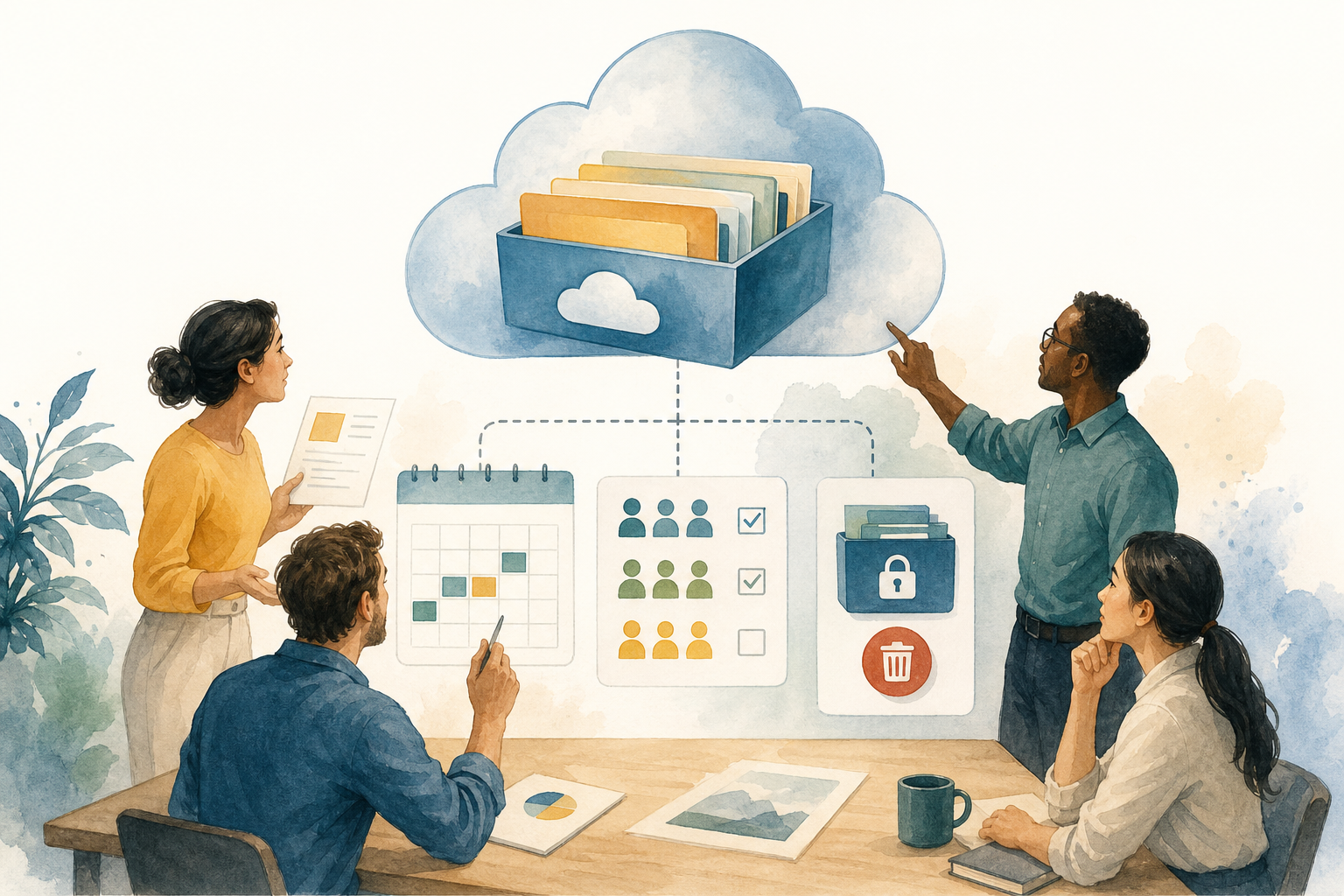
The risk of turning a one-off download into a permanent link
Temporary file downloads seem simple until forwarded links, final copies, inherited folders, and materials that were supposed to disappear after a campaign ends get mixed together. The problem is not only technical; it is operational. A link created for a webinar can continue circulating months later; a “final_v3” presentation can be replaced by “final_definitive” without anyone updating the delivery; and a shared folder used to coordinate internal work can end up becoming the real channel for external distribution.
The first healthy decision is to separate the master file from the published delivery. In Apification Cloud, the master can remain inside an organized, versioned space, while distribution is managed through sharing options, permissions, restrictions, or publication windows when appropriate. This separation prevents the team from deleting the wrong asset when closing the campaign and reduces the temptation to create loose copies that no one later knows how to update.
- Common mistake: deleting a link and assuming the master file has been deleted.
- Common mistake: sharing an entire work folder to deliver a single document.
- Common mistake: granting edit access when the recipient only needs to download or view.
Before publishing: a minimum inventory of version, audience, and period
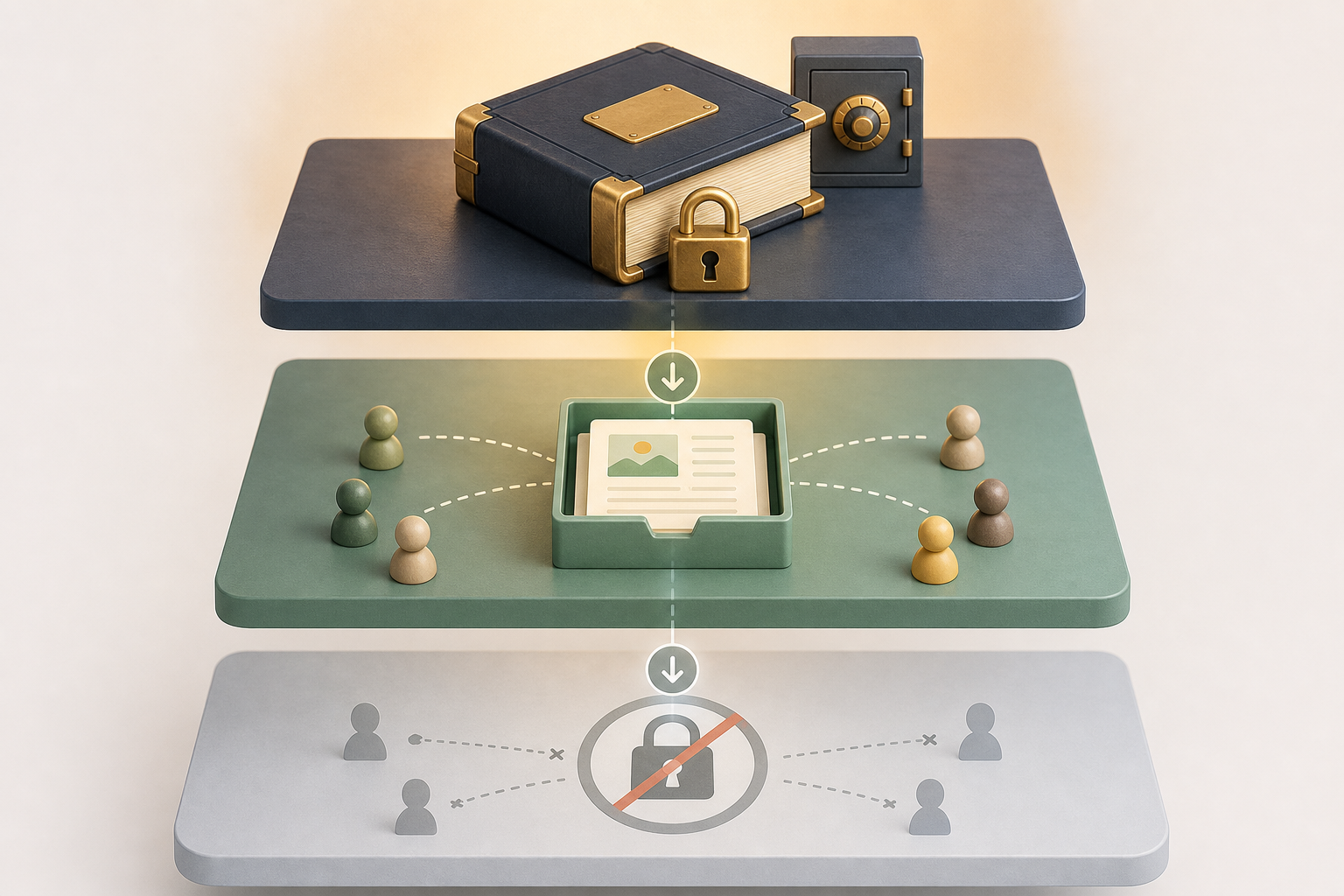
Before generating a link or adding users, it is worth completing a minimum record: which file is the master, which version will be published, who will be able to access it, for what period, and in what format it will be delivered. This preparation fits with a basic security-by-design idea: do not improvise access control at the end, but define it as part of the publication lifecycle. OWASP recommends designing authorization in advance, denying by default, and applying least privilege.
A practical way to work is to create a campaign folder in Cloud with subfolders or names that distinguish drafts, approved items, published items, and withdrawn items. If the material is edited as a document, spreadsheet, or presentation, it can remain inside Cloud with ONLYOFFICE instead of exporting copies every time. If it is an image, video, audio file, or subtitle, Apification’s editing studios make it possible to prepare the deliverable without separating the asset from the workspace.
- Pre-publication checklist: file owner, approved version, opening date, closing date, and recipients.
- Pre-publication checklist: format expected by the recipient and an alternative if they use mobile.
- Pre-publication checklist: message that will be shown to anyone who does not have permission or arrives outside the deadline.

Choose between links, users, or groups according to the level of control needed
Not every case needs the same mechanism. A shared link is convenient for low-risk materials, broad campaigns, or deliveries where friction must be minimal. But a link that can be forwarded does not offer the same control as access assigned to users or groups. The operational rule is simple: the more sensitive the material, the more advisable it is to identify recipients and limit access to those who truly need it.
Apification allows items to be shared through links, users, or groups. For an agency delivering creative assets to a client, a group per client or campaign helps withdraw access in an orderly way. For an internal course, specific users may be more appropriate. For a public brochure available only during a promotion, a link with a window or restriction may be enough. In all cases, if no rule authorizes access, the download must be denied by default.
- Use a link when individual traceability is not the main requirement.
- Use users when you need named access control.
- Use groups when the audience changes during the campaign and you want simpler additions and removals.
Configure limits: permissions, restrictions, OTP, and access windows
The principle of least privilege helps prevent excess: if the recipient only needs to download, they should not have edit access; if they should only access for a limited period, the publication should not remain open indefinitely. Apification offers protection through permissions, OTP, external authentication, restrictions, and publication windows. The specific combination depends on the risk: a sales template is not the same as a partner dossier or training materials with limited access.
It is also useful to explain the access conditions to the recipient when the download is part of a web experience. The W3C’s privacy principles recommend informing users, when permissions are requested or data is accessed, who is accessing, what data is used, and how it is used. In practice, clear messages are enough: “Available until Friday,” “Access reserved for registered participants,” or “One-time code required.” Security improves when the user understands the limit.
- Apply the minimum permission needed when editing is not required.
- Enable OTP or external authentication if the link should not be sufficient on its own.
- Use publication windows for predictable openings and closures.
- Review restrictions before reusing a folder from a previous campaign.
Decide what gets downloaded: original or transformed version
A temporary download should not always deliver the original file. Sometimes the master is an editable document, an image with layers, a working video, or a heavy file; the recipient only needs an optimized or converted version. Apification allows original or transformed downloads to be offered, and documents, images, video, audio, and data to be processed through a guided assistant to convert, split, merge, optimize, or prepare distribution materials.
The decision should be based on use and maintenance. If the client needs to print a PDF, deliver a final version in that format and keep the editable file in Cloud. If event attendees need lightweight slides, optimize them before publishing. If the material contains several pieces, consider splitting it to prevent someone from downloading more than necessary. The important thing is not to create a “final copy” outside the workflow: if the master changes, the delivery must be able to be regenerated or replaced with traceability.
- Deliver the original only when the recipient needs to work on it.
- Deliver a transformation when you want compatibility, smaller size, or lower exposure of the master.
- Document which transformation was published so it can be repeated if there are corrections.
Naming, folders, and tests before opening the campaign
Naming prevents silent errors. Use names that include the campaign, piece, language if applicable, status, and date: for example, “partners-campaign-guide-EN-published-2026-04”. Do not mix drafts with active deliveries. If a material needs less access than the general work folder, place it in a location with more limited permissions. In sharing platforms, folders can pass permissions on to files added later; that is why a convenient folder can become an overly broad permission.
Before announcing the download, test as a real recipient: open the link without a privileged session, from mobile and desktop, check the downloaded format, validate the closed-access message, and verify that no draft content appears. OWASP recommends unit or integration tests to document and verify authorization rules; even in non-technical teams, this translates into a repeatable testing list before each campaign.
- Test: an authorized user can access within the window.
- Test: an unauthorized user receives a clear denial.
- Test: once the period has ended, the download is no longer available.
- Test: the downloaded file corresponds to the approved version.
Closure: withdraw access without losing history or promising the impossible
Closing a campaign should not mean deleting everything. First, withdraw the publication mechanism: link, users, group, restriction, or active window. Then review who retains access through other routes. In services such as OneDrive or SharePoint, access panels distinguish between people, groups, and links; the lesson applies to any workflow: deleting a link does not necessarily remove direct or inherited permissions. In Apification, closure should be reviewed from the item, its location, and the associated sharing rules.
After closure, keep the master and the history. Apification Cloud makes it possible to review item history, download previous versions, and restore content safely. This is key if the wrong version was published or if a previous delivery needs to be recovered. What should not be promised is that withdrawing access deletes copies already downloaded by third parties. Withdrawal controls future access from your space; it does not guarantee that files obtained while the campaign was open will disappear.
- Closure checklist: deactivate the link or publication, remove users or groups, review inherited permissions, and keep the master.
- Closure checklist: mark the delivery as withdrawn, save operational evidence of the published version, and document incidents.
- If there was an error: restore or download a previous version from the history before publishing again.
Frequently asked questions
What is a temporary file download?
It is the publication of one or more files for a specific period or context, with access limited by link, users, groups, restrictions, OTP, or publication windows depending on the level of control needed.
Does deleting a link delete the file?
Not necessarily. Withdrawing a link cuts off that access mechanism, but the master file may still exist and other permissions may be active. That is why it is advisable to audit links, users, groups, and inherited permissions.
Should I publish the original file or a transformed version?
Publish the original only if the recipient needs it. For distribution, it is usually safer and more practical to deliver a converted, optimized, or split version while keeping the versioned master in Cloud.
Does withdrawal prevent someone from keeping a downloaded copy?
No. Withdrawal controls future access from the publication system, but it does not guarantee that third parties will delete copies they downloaded while they had access.
Sources and further reading
Documentation consulted while preparing this article.
- Authorization Cheat Sheet — OWASP Cheat Sheet Series
- Enforce Access Controls — OWASP Developer Guide
- Privacy Principles — W3C
- ENISA Secure by Design and Default Playbook — ENISA
- Share folders in Google Drive — Google Drive Help
- Share a final document — Google Workspace Learning Center
- Tips to edit and collaborate on files — Google Workspace Learning Center
- Learn about limited access to files and folders in Google Drive — Google Drive Help
- Manage sharing and permissions in OneDrive and SharePoint — Microsoft Support
- See who a file is shared with in OneDrive or SharePoint — Microsoft Support
Explore Apification
Related articles
Security and privacy
How to Test File API Permissions: Resources, Actions, and Negative Cases
A general guide to planning permission tests for a file API. Specific criteria depend on each service’s documentation and configuration.

Security and privacy
How to Safely Hide Data in a PDF: Redaction, Checks, and Sharing
An operational guide to distinguishing redaction from visual masking, reviewing the copy, and sharing only the file you need.

Security and privacy
How to Prevent Forms from Collecting Sensitive Data They Don’t Need
Review every question, limit open-ended answers, and establish a careful process for reviewing, sharing, and exporting responses.