Files and formats
Storage and Processing Credits: How to Plan File Conversions Without Confusing Limits
A practical guide to separating the space where files live from the consumption associated with converting, optimizing, splitting, merging, or rendering content.

The problem: having space does not mean the transformation is moving forward
In teams that manage documents, images, video, audio, or data, a common confusion appears when someone says: “there is space left, but the conversion is not moving forward.” That sentence mixes two different resources. Storage is the place where files live: originals, editable files, exports, and versions. Processing is the action performed on them: converting, optimizing, splitting, merging, rendering, or preparing a download in another format. The fact that a file is saved does not mean it has already been transformed.
The distinction is not only administrative. Technically, a file can be understood as storable binary data with attributes such as size, type, name, and modification date. That data makes it possible to inventory inputs, but it does not say on its own whether a conversion has already been run, whether the expected output exists, or whether the result corresponds to the latest approved version. That is why it is useful to plan the flow as a chain of states: input received, transformation requested, job in progress, result saved, delivery shared, and, where applicable, restorable version.
- Do not diagnose a failure only by the available space.
- Separate saved file, requested action, and generated result.
- Record the output you expect before launching large-scale jobs.
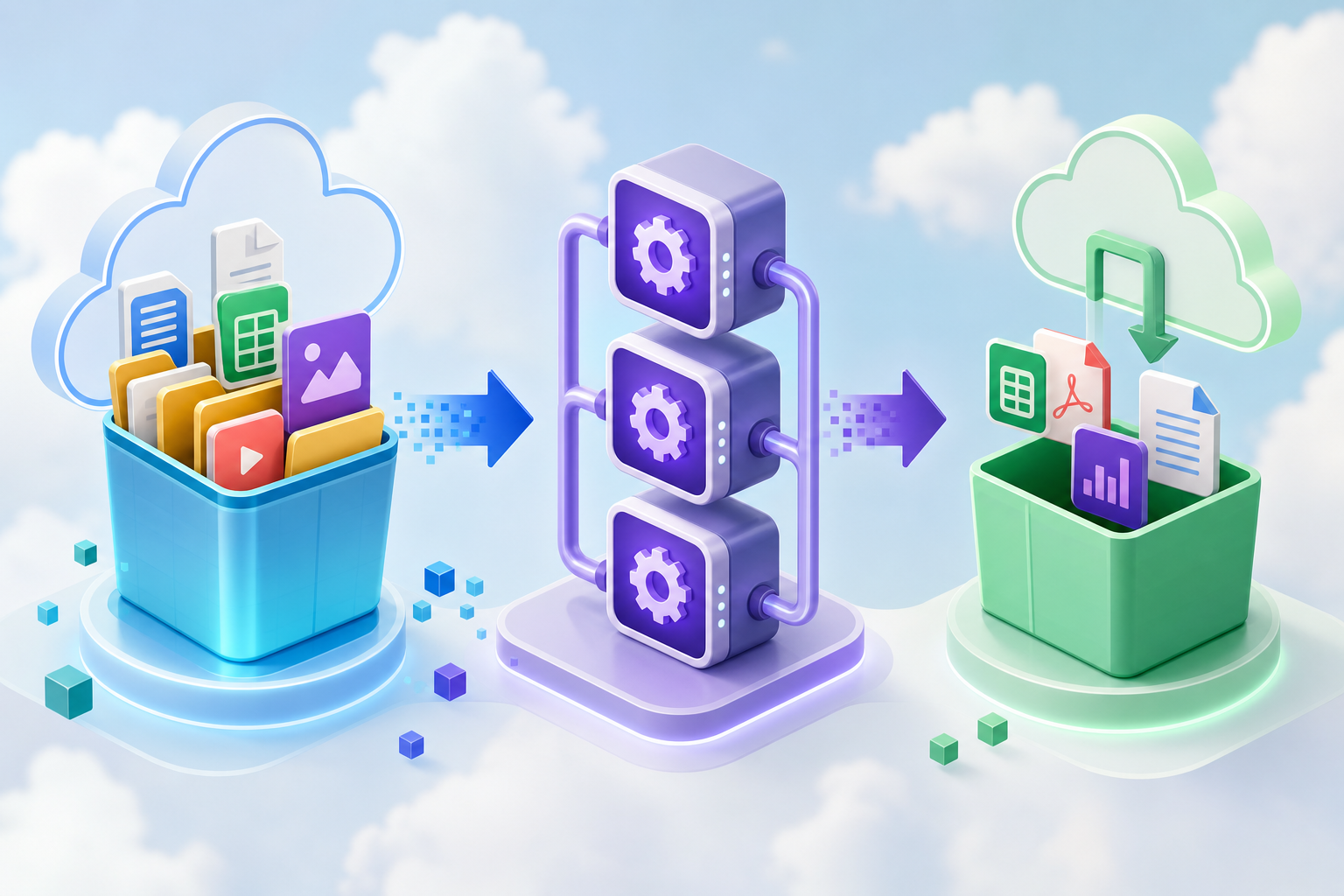
The practical difference between storing and processing
Storing a file means keeping an organized reference to content. In practice, that reference may represent a specific state of the file at the moment it was taken or uploaded. Processing it, on the other hand, means running an operation that produces a new result or changes the delivery format. A DOCX saved in Cloud, an optimized PDF, and a derived thumbnail are not the same operational element, even if they come from the same initial piece.
This difference becomes critical when editors and exports are involved. In document suites, opening a file for editing may involve a conversion to a native editing format, and saving or downloading it in another format may involve another conversion. The same applies to media: editing video, audio, or images requires distinguishing between original material, editable project, preview, final render, and alternative formats. If everything is called the “final file,” the team loses traceability and repeats unnecessary work.
- Original: source received or approved as input.
- Editable: file or project being worked on.
- Transformed: output generated by a specific action.
- Deliverable: version shared with users, clients, or groups.

Actions you should plan as processing
The actions that consume processing are not limited to “convert to PDF.” They also include operations such as splitting a document, merging several files, optimizing the weight of an image, or preparing data in another format. In Apification, the File Transformer offers available actions to convert, optimize, split, or package Cloud files, and covers areas such as documents, PDFs, sheets, presentations, images, video, audio, and data. It is designed for asynchronous and batch jobs, which helps when the volume does not fit into an isolated manual operation.
Multimedia rendering deserves special attention. In Video Studio and Audio Studio, server rendering runs asynchronously and the result is saved in Cloud. This makes it possible to separate editing, preview, and export, but it also requires deciding how many final versions are really needed. Each subtitle, track, format, or export can become an additional output. The operating criterion is simple: if an action produces a new file, an exported version, or a different downloadable result, treat it as part of the processing budget.
- Document conversions and downloads in different formats.
- Optimization of images, documents, or media.
- Splitting, merging, or packaging Cloud files.
- Rendering video or audio projects saved in Cloud.
How to estimate a flow before running it
Before launching a batch, create a minimum inventory. Record the number of files, approximate size, type or extension, operational name, modification date, source, and expected output. Add whether there will be one or several exports: for example, keeping DOCX, generating PDF for approval, and exporting an optimized version for download. This matrix does not need to be complex, but it should avoid a dangerous question: “what had we already transformed?”
In Apification, the File Transformer allows you to estimate credits before running and save each result in Cloud. Use that estimate as a control step, not as a formality. If a batch has varied formats, start with a small sample that represents real cases: large files, old files, names with different conventions, and critical outputs. Then decide whether the full batch can run as is, whether it should be split by file type, or whether you need to correct inputs before consuming processing on repetitions.
- Count files and outputs, not just folders.
- Group by input format and expected output.
- Test with representative samples before the full batch.
- Keep a record of predictable repetitions and reasons.
What to keep in Cloud without duplicating chaos
A good retention policy is not about saving everything with similar names. It is about deciding which elements have traceability value. Keep originals when they are proof of input or source material. Keep editable files when they allow an output to be recreated without rebuilding the work from scratch. Keep transformed results when they are deliverables, approval milestones, or formats required for external systems. What should not be kept indefinitely are discarded tests without context, repeated exports, and copies no one can justify.
Apification Cloud is designed to manage files, services, and digital projects in an organized, versioned space built for sharing. It also allows you to review the history of Cloud elements, download previous versions, and restore content securely. This changes how cleanup works: there is no need to solve everything with manual duplicates. Before deleting, check whether the element is part of an approval chain, whether someone receives it through a link, user, or group, and whether there is a previous version that can be recovered when needed.
- Keep the original if it defines the authorized source.
- Keep the editable file if it avoids redoing work.
- Keep the transformed result if it is a deliverable or integration.
- Delete tests only when they are identified as discardable.
How to prioritize jobs and controlled batches
Priority should not depend only on who requests the conversion first. Order jobs by impact, urgency, risk, and repeatability. A batch for an approved public delivery usually comes before exploratory tests. A conversion that feeds a later process deserves more control than an occasional export. And a repeatable transformation, such as converting sheets or presentations weekly, should be documented better than a one-off action, because any error is amplified over time.
A practical pattern is to work in four phases. First, a small test with real files. Second, a controlled batch with a verifiable subset. Third, full execution when outputs and names are defined. Fourth, review of results and cleanup of tests. If you integrate from the backend, the Apification REST API allows you to manage Cloud resources and transformation jobs; for long-running jobs, the asynchronous pattern avoids depending on the original HTTP request. Signed webhooks allow you to react to relevant events without polling continuously, with history, retries, and statistics.
- Prioritize approved deliverables over exploratory tests.
- Split batches by format, destination, or owner.
- Use asynchronous jobs for long transformations.
- Document the criterion before automating it via API.
Common failures and how to document them
Many failures do not come from the file, but from the flow. Converting the same file several times because the expected output was not recorded consumes effort and confuses the team. Saving unnecessary exports fills the workspace with indistinguishable results. Mixing tests with deliverables can cause the wrong version to be shared. Deleting access permissions or links thinking that this is the same as cleaning the entire history is also a bad practice: access, file, version, and delivery are different concepts.
Another mistake is interpreting any timeout as an invalid file. In automated conversions, a transformation may keep progressing even if a synchronous request times out; that is why it is useful to record job identifiers, parameters, expected output, and retry time. In integrations, Apification documents the use of idempotent requests to repeat a network request without repeating the business action. This approach helps avoid duplicates when there are interruptions, retries, or late responses.
- Note input, action, output, owner, and date.
- Do not mix test folders with final deliverables.
- Differentiate file failure, parameter failure, and timeout.
- Use idempotency when an integration may retry.
How Apification helps separate storage and credits
Apification helps organize this separation at several levels. In Cloud, teams can maintain an organized, versioned workspace for files, services, and digital projects. The File Transformer allows guided actions to be run from the interface or through the REST API, credits to be estimated before transforming, and results to be saved in Cloud. For office documents, the ONLYOFFICE integration allows you to create and edit documents, sheets, and presentations while keeping them inside Cloud storage, which reduces jumps between tools and makes it easier to control versions.
For distribution, Apification allows you to share elements through links, users, or groups and offer original or transformed downloads. For integrated flows, the platform offers REST API, OpenAPI, webhooks, iframe, and JavaScript, as well as signed webhooks with retries, history, and completed transformation events. The right decision is not to automate everything from day one, but to choose the appropriate level: guided interface for occasional operations, controlled batches for recurring processes, and API/webhooks when the flow is already defined and needs to integrate with your own systems.
- Use Cloud to organize sources, versions, and deliverables.
- Use credit estimation before launching transformations.
- Use history and restoration to reduce manual duplicates.
- Use API and webhooks when the process has stabilized.
Frequently asked questions
Are storage and processing credits the same thing?
No. Storage refers to the space where files, versions, and results are kept. Processing credits are related to actions such as converting, optimizing, splitting, merging, or rendering.
Why might a conversion not move forward even though the file is saved?
Because saving the file only confirms that it exists as an input. The transformation may depend on parameters, output format, asynchronous job, retries, or flow conditions.
Is it always a good idea to keep originals?
Yes, when the original is the authorized source, input evidence, or the material needed to recreate outputs. The important thing is to distinguish it from discarded tests and exports.
When does it make sense to use API and webhooks?
When the process is already defined, repeats frequently, or must integrate with a backend. For long-running jobs, webhooks help react to events without polling continuously.
Sources and further reading
Documentation consulted while preparing this article.
- W3C File API — World Wide Web Consortium (W3C)
- LibreOffice Help: Starting LibreOffice Software With Parameters — The Document Foundation / LibreOffice
- ONLYOFFICE Docs: Converting and downloading file — ONLYOFFICE
- ONLYOFFICE Docs: Conversion API request — ONLYOFFICE
- Apification: Integra Apification en tu producto — Apification
- Apification: Automatización de procesos — Apification
- Apification: Catálogo de servicios Cloud — Apification
Explore Apification
Related articles

Files and formats
How to Find Duplicate Files Before Cleaning a Shared Folder
A cautious method for finding possible copies, checking how they are used, and deciding what to keep before deleting or archiving.

Files and formats
How to Organize Conversions of Many Files Without Mixing Settings or Results
An operational guide to inventorying files, grouping them by task, testing compatible transformations, and reviewing each output before sharing or importing it.

Files and formats
How to Convert a PDF to Images Without Losing Legibility
Choose dimensions and a format for your intended use, check representative pages, and keep the original PDF to avoid sharing exports that are difficult to read.