Interactive content
Landing Pages for Lead Generation: Minimum Data, Useful Attribution, and Controlled Downloads
A practical guide to publishing a landing page with a form and downloadable content without asking for too much data, losing attribution, or creating messy leads.

The problem: many leads, low quality, and confusing attribution
A landing page for lead generation often fails because of excess, not because of lack. It is published quickly, a long form is added “just in case,” a download is attached, and then the team discovers three problems: incomplete contacts, fields that are hard to compare, and campaigns that are impossible to interpret. The result is a list that looks large but requires manual cleanup before you can segment, respond, or learn which channel worked.
The solution is not to request more data or install more measurement without clear criteria. It is to design capture as a small, verifiable process: a clear goal, minimum fields, separate attribution, understandable validations, and file delivery from a controlled space. Apification helps with this flow because it allows you to create publishable pages with sections, forms, Cloud media, analytics, and AI assistance.
- Warning sign: many open text fields with answers that are impossible to group.
- Warning sign: all leads appear under the same generic campaign.
- Warning sign: the downloadable file is duplicated in several versions without knowing which one was delivered.
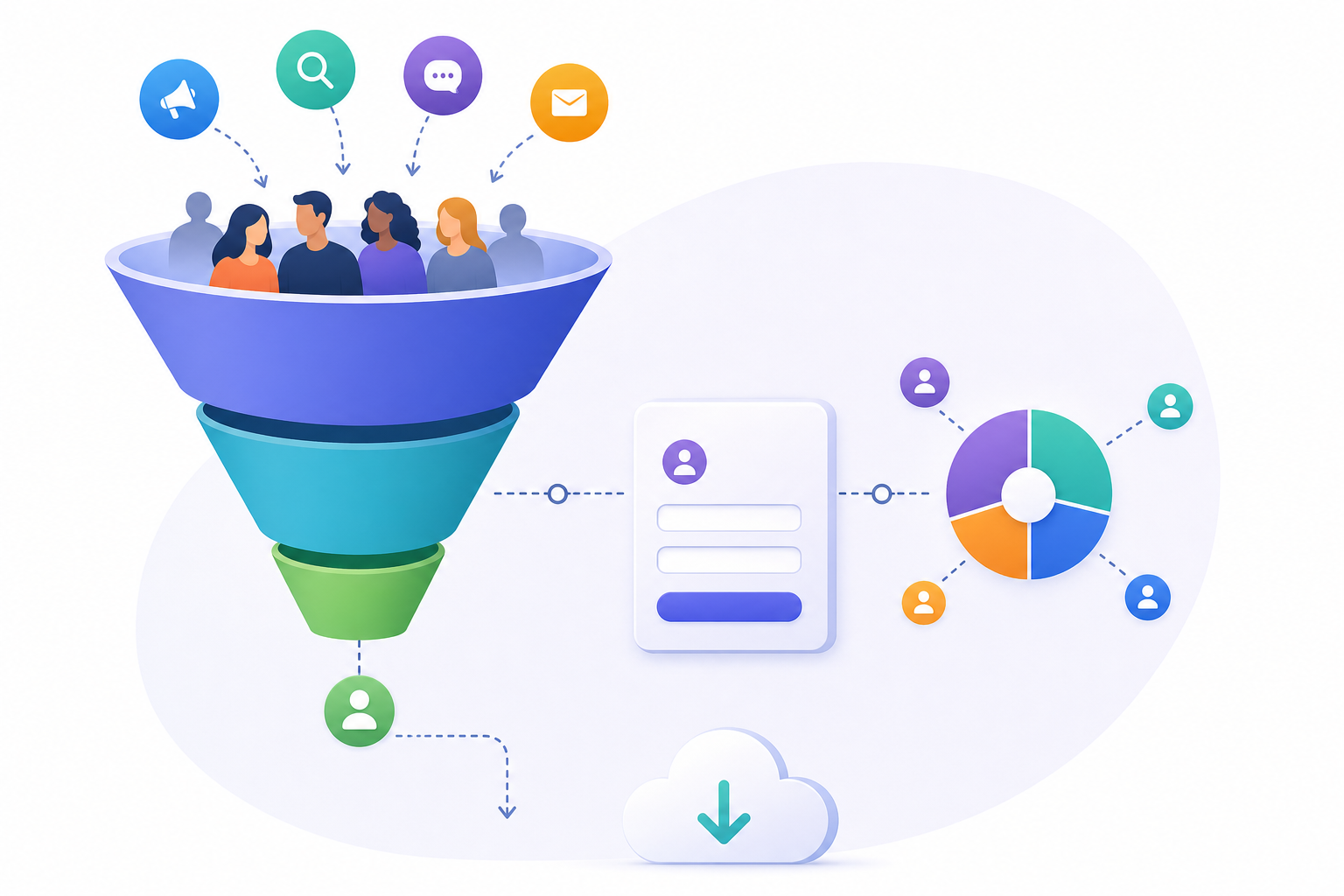
Define the goal before touching the form
Before deciding on fields, decide what conversion the page represents. A registration landing page, a content download, a sales request, or a prequalification page are not the same thing. It is best to start with the goal, audience, title, proposition, and call to action before building sections, preparing the form, reviewing design, URL, SEO, and publication. That order prevents the form from dictating the strategy.
A practical criterion is to write an operational sentence: “This page exists so that marketing managers can download a guide and agree to be contacted about that topic,” or “This page prequalifies requests to prioritize responses.” If you cannot complete that sentence, you still do not know what to ask for. Each field must support a later action: delivering the resource, responding, segmenting, measuring the campaign, or meeting an operational need linked to the purpose.
- Registration: prioritize identity and access to the event or content.
- Download: request minimum contact details and enough context to assess interest.
- Request: add the fields needed to respond accurately.
- Prequalification: use closed lists to prioritize without manual interviews.

Minimum data: identity, contact, context, and operational consent
The basic rule is to request only the information needed to complete the defined process. WAI recommends simple, short forms, limited to what is required for the transaction; asking for irrelevant or excessive information increases the likelihood of abandonment. In addition, the GDPR principle of minimization requires personal data to be adequate, relevant, and limited to what is necessary for the purposes of processing. This is not only about legality: it also improves quality.
For a basic download, name, email if you need to respond, organization if it provides real context, and a closed list of interests or profiles if it helps with segmentation are usually enough. Avoid fields such as phone number, company size, or job title if no one will use them immediately. If the sales team needs them, justify each one with a concrete decision: routing, prioritizing, personalizing the response, or excluding out-of-scope requests.
- Field checklist: does it help deliver, contact, segment, or measure?
- If a field does not change any later action, remove it.
- Use visible help text when the user may be unsure what to answer.
- Do not use placeholders as a substitute for labels or instructions.
Useful attribution: separate source, campaign, page, file, and moment
Good attribution does not mean storing one huge text string, but separating dimensions. For campaigns, the team should document a stable convention to identify where the visit comes from, which medium or channel is being compared, and which specific initiative is being measured. If you need to compare creatives or calls to action within the same campaign, also reserve a specific dimension to distinguish those variants.
In addition to the campaign, it is useful to distinguish the published page, the downloaded file, and the conversion moment. Apification allows you to publish pages with forms and analytics, so performance review can rely on the page and the campaign without turning the form into a storehouse of manual columns that are hard to maintain. If your flow collects technical or attribution data, handle it with minimization, transparency, and a privacy configuration appropriate to the purpose.
- Minimum convention: visit source, channel or medium, and campaign initiative.
- Variant convention: separate CTA, creative, or placement when you need to compare them.
- Do not reuse the same campaign name for different initiatives.
- Store the delivered file as an operational dimension, not as a free-text comment.
Validations that reduce manual cleanup
Validations should prevent predictable errors without blocking users unfairly. In web forms, the email type allows a basic syntactic check of the email address, and required can declare mandatory fields in common controls such as text, email, select, and textarea. In a landing page for lead generation, that configuration must align with the goal: few fields, coherent controls, and mandatory status only when the data is essential.
Even so, browser validation is no substitute for coherent server-side validation, because invalid data can be sent by manipulating HTML or creating HTTP requests. How the error is explained also matters: WAI warns that native messages can be generic, and messages should be clear, visible, and close to the field. A global summary should not be the only indication of the problem.
- Mark only truly essential fields as mandatory.
- Prefer closed lists when you later need to group results.
- Place visible labels on all fields.
- Write actionable errors: “Enter an email in the format name@domain.com” is better than “Invalid value.”
How to use Apification to build the landing page
In Apification, you can create a public page with sections, a lead capture form, Cloud media, analytics, and AI assistance. The idea is not to delegate strategy to the tool, but to use these capabilities to organize the composition: a clear proposition, relevant content, a call to action, and a short form. AI assistance can help accelerate composition, always with editorial review by the responsible team.
A recommended operational flow is to create the structure first: header with proposition, value block, content proof, form, and final trust or next-step block. Then design the form with minimum fields, validation, appropriate access, and a logical order according to what you need to collect. Finally, check that the published page, analytics, form, and access to the resource work coherently before sending campaign traffic.
- Step 1: define the goal, audience, proposition, and CTA.
- Step 2: create sections and use Cloud media where appropriate.
- Step 3: design minimum fields, validation, access, and reading order.
- Step 4: test submission, analytics, and download before publishing.
Controlled downloads without turning the landing page into storage
The downloadable file should be managed as an asset, not as a page decoration. In Apification, landings can use Cloud media, and Cloud allows you to manage files, services, and digital projects in an organized, versioned space designed for sharing. For documents or associated materials, keeping them in Cloud helps preserve order, history, and versions, instead of uploading scattered copies every time a guide or fact sheet changes.
Decide what to deliver according to the case. Deliver the original if it is the approved asset and requires no adaptation. Use a transformed version if you need to optimize, convert, split, merge, or process documents, images, video, audio, or data through the transformation assistant. Use a shared link from Cloud when you want to distribute an item through links, users, or groups, with the option to download the original or transformed version. If the resource changes, review the item history and restore versions when necessary.
- Original: useful for approved and final materials.
- Transformed: useful for lightweight, converted, or optimized formats.
- Shared link: useful when you need to distribute from Cloud without duplicating files.
- Common failure: replacing the file without checking which version is linked from the landing page.
Testing before publishing and post-publication review
The final phase is not aesthetic: it is risk control. Test the landing page on mobile, review language, readability, visible labels, mandatory fields, error messages, form submission, and access to the file. Also check the campaign URLs from each planned channel. If a campaign uses several creatives, verify that the variant dimension correctly distinguishes each case before launching traffic.
After publishing, avoid turning the landing page into a disorganized database. Review the available analytics, the quality of responses, and the consistency between campaign, page, and delivered resource. A useful review is not about accumulating columns, but about answering questions: which channel brought conversions, which page worked, which file generated interest, and which collected data was actually used.
- Before publishing: test mobile, form, errors, and download.
- After publishing: review attribution, available analytics, and response quality.
- After the campaign: remove fields no one used and document the campaign convention that did work.
- Final criterion: less data, better defined, and easier to act on.
Frequently asked questions
How many fields should a landing page for lead generation have?
It should have only the fields needed to fulfill the defined goal. For a simple download, basic identity, email, and one context detail are usually enough if it will truly be used to segment or respond.
Can I use placeholders as form labels?
It is not recommended. Labels and instructions should be visible to all users; placeholders reduce usability and accessibility and make it harder to review errors.
What campaign convention should be used at minimum?
It is advisable to document a stable convention that separates visit source, channel or medium, and campaign initiative. Add a variant dimension if you need to distinguish creatives or calls to action.
What analytics can I review in Apification Landing?
Apification allows you to create publishable pages with analytics. Use it to review page performance without mixing all campaign data inside the form.
What is the best way to manage responses from a landing page?
It is best to keep fields to a minimum, review the quality of responses, and check that each collected data point is used to contact, segment, measure, or complete the defined process.
When should I deliver a transformed file instead of the original?
When you need to optimize, convert, split, merge, or process the resource before distributing it. If the approved file works as is, deliver the original or share it from Cloud.
Sources and further reading
Documentation consulted while preparing this article.
- Forms Tutorial — W3C Web Accessibility Initiative (WAI)
- Using HTML form validation and the Constraint Validation API — MDN Web Docs
- Understanding WCAG SC 3.3.2: Labels or Instructions — W3C Web Accessibility Initiative (WAI)
- Understanding WCAG SC 3.3.1: Error Identification — W3C Web Accessibility Initiative (WAI)
- Placeholders in Form Fields Are Harmful — Nielsen Norman Group
- Regulation (EU) 2016/679, Article 5 — EUR-Lex
Explore Apification
Related articles

Interactive content
Form or Event Page: Which Should You Choose to Collect Registrations?
Choose based on whether you need to collect responses or manage registrations tied to an activity, capacity, attendees, or an access period. Compare the user journeys and check what you need before publishing.

Interactive content
How to Collect Feedback on Files and Link Each Comment to the Right Version
A guide to organizing document, image, and video reviews: identify the version, ask specific questions, sort responses, and decide what to do if the file changes.

Interactive content
How to Review Duplicate Form Responses Without Deleting Valid Records
A match alone does not prove that a response is an error. Define what counts as a duplicate for your form, check uncertain cases, and keep the source intact while preparing a cleaned version.