APIs and automation
Interrupted API Downloads: How to Detect Partial Files Before Using Them
Receiving a response does not always mean the file is complete. Learn to download to a temporary file, validate the result, and retry without risking a valid copy.
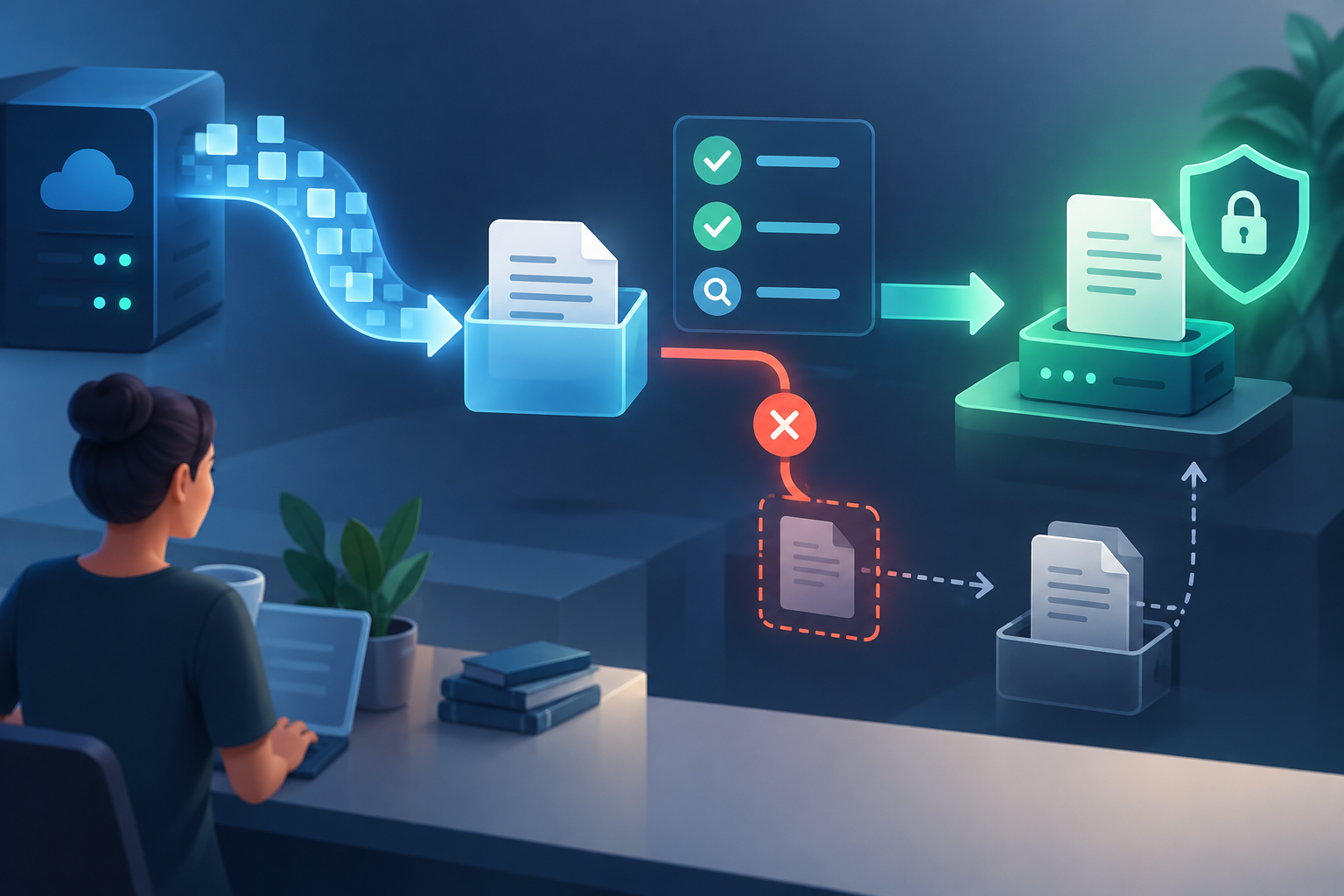
A closed connection does not prove the file is complete
When downloading a file over HTTP, a client may receive data and lose the connection before the transfer finishes. The result can look like a normal file and still be missing content. In some cases, the response has already started with a 200 status when the server detects a failure while generating or sending the file; once the headers have been sent, the server may not be able to replace that status with an error. That is why neither a successful response nor the existence of a file on disk is enough to approve it.
The important distinction is between “I received a response” and “I have a result that is fit for use.” If a downstream process immediately opens a partial file, it may fail visibly, but it can also produce incomplete output without stopping. A package, document, or dataset may still be readable even when parts are missing. Design the integration so that only a completed and validated download is considered available; treat any uncertain result as temporary, not as a new version ready for production.
- Do not use the file’s existence as a sign that the download is complete.
- Do not treat HTTP 200 as sufficient proof of integrity.

Keep the temporary file separate from the available copy
Download first to a temporary path separate from the one your consumers use. Keep the name and location of the current valid file, if one exists, and write the new bytes to a provisional file. This separation prevents a network or process failure from erasing a good copy before the new one has passed its checks. It also makes the problem easier to diagnose: you can clearly distinguish a pending result from a rejected one and a published version.
When reading finishes and validation passes, promote the temporary file to the consumption location using a replacement operation appropriate for your file system and environment. If promotion fails, preserve the previous valid copy and record the error. Do not assume that a rename is atomic on every system, volume, or configuration: check the guarantees of your environment. If the result fails verification, quarantine or delete it according to your policy, but do not present it as the current file.
- Use unique temporary names to prevent collisions between runs.
- Publish only after reading is complete and validation passes.
- Keep the previous version available until the new one is accepted.

What to check when the download finishes
Validate several signals, not just one. Check the HTTP status expected by the endpoint’s contract, confirm that the client reached the end of the read without an exception, and record whether cancellation or a timeout occurred. If the response includes an expected length and the documentation says it should match the content received, compare that value with the bytes written. Not every endpoint provides a reliable length, especially when it streams content dynamically; do not treat a missing header as proof of success or failure without understanding the contract.
Then apply checks specific to the format and intended use. For example, verify that a document can be parsed or that a compressed file passes the check provided by the relevant tool. If the endpoint documents a checksum, compare against it; do not invent an expected checksum by calculating one solely from the same downloaded result. Define what “valid” means for your workflow and record the result of each check. A transport-complete response can contain a semantically invalid file, while a readable format does not prove that it includes all the expected elements.
- HTTP status conforms to the endpoint’s contract.
- Reading finished without an error, cancellation, or timeout.
- Length, checksum, or format validation only when applicable and documented.
Handle timeouts and interruptions without replacing a valid copy
When a timeout or disconnection occurs, mark that run as failed or incomplete and do not promote its temporary file. Save enough operational information to investigate: run identifier, logical endpoint, time, bytes received, failure stage, and attempt number. Do not log credentials, tokens, or sensitive response data. These signals can help distinguish an early failure from one that happened near the end, although neither alone justifies treating the file as complete.
Retries need limits and rules. Set how many attempts are allowed, how long to wait between them, and which errors justify trying again, based on the service’s documentation and behavior. Unlimited retries can stall processes or create unnecessary load; immediately retrying a permanent error will not solve the problem either. Each new attempt should write to its own temporary file or safely clean up the previous one. If there is any doubt about whether the response arrived complete, start a new download instead of blindly appending bytes.
- Do not overwrite the published copy while an attempt is still pending.
- Limit retries and record their outcomes.
- Avoid reusing partial bytes unless the endpoint documents how to do so.
Resumption: confirm support before sending ranges
The ability to resume is not an automatic property of every HTTP download. A request with a Range header asks for bytes starting at a particular position, but the server must support this mechanism and respond according to the contract. Some services’ documentation explicitly states whether an operation allows partial downloads; others do not provide that guarantee. Before implementing resumption, look for instructions for the specific endpoint and confirm which responses, headers, or identifiers it requires.
If the contract does not document ranges, do not assume that adding the header will make the server continue the same file. It might ignore the header, respond with the full content, or provide a different representation. Even when ranges are supported, check that the object has not changed between attempts and that the received segment matches the original representation, using the conditions specified in the documentation. If that cannot be confirmed, discard the partial file and download it again from the beginning.
- Look for explicit support for ranges or partial downloads in the endpoint documentation.
- Check how to confirm that resumed bytes belong to the same version.
- If the contract is unclear, treat resumption as unavailable.
Test complete responses, interruptions, and retries
Before automating, test more than the ideal case. Download a known complete file and confirm that the workflow publishes it only after validation. Simulate one interruption before receiving any data and another after receiving part of the file; in both cases, check that the temporary file does not replace the previous version. Add unexpected HTTP responses, timeouts, and a result that reaches the end of the read but fails format validation. These tests reveal whether your integration confuses transport, storage, and acceptance.
Also test recovery behavior: a retry should produce a clean result, old temporary files should not be accidentally mixed in, and errors should be visible in operational logs. If the endpoint documents resumption, test both a valid range and a case where the resource changes, following the provider’s conditions exactly. Do not rely solely on a stable local connection to decide that the mechanism works; reproduce failures in a controlled way and verify the consequences for downstream consumers.
- Success case: complete file, validation passes, and file is published.
- Failure cases: interruption, timeout, unexpected response, and invalid format.
- Recovery: isolated retry, previous copy intact, and useful logging.
Checklist for integrating downloads with Apification Cloud
When connecting an external workflow to Apification Cloud, treat file acquisition and file availability as separate stages. Review the documentation for the API and endpoint you use to understand the response format, expected statuses, and any supported validation or resumption method. Apification offers integration through REST API, OpenAPI, webhooks, iframe, and JavaScript; these options do not mean that every endpoint supports ranges, resumption, or a specific integrity guarantee. Confirm the exact capability you need before adding it to production logic.
Once the file has been received and accepted according to your checks, organize items and projects in Cloud so it is clear which version is current. Cloud lets you manage files in an organized, versioned space; the history lets you review previous versions, download them, and restore content. This can help recover a previous version in appropriate cases, but it does not replace download validation or fix a process that publishes partial files. Define who can access the result and what action should follow if validation fails.
- Endpoint documentation reviewed; range support not assumed.
- Temporary download kept separate from the copy available to the workflow.
- HTTP status, end of read, and validation results recorded.
- Errors and retries bounded; partial files never published.
- Previous valid version preserved and recovery procedure defined.
Frequently asked questions
Does an HTTP 200 response guarantee that the file is complete?
No. The status may have been sent before a failure occurred during transmission. Also check that reading finished and apply the validations required by the contract and format.
Can I resume a download by adding a Range request?
Only if the endpoint documentation confirms that it supports range downloads and specifies how to use them. Without that explicit support, restart the download instead of combining potentially incompatible bytes.
What should I do with a partial file after a failure?
Do not publish it or use it as a replacement. Keep diagnostic information and, according to your policy, quarantine or delete it. Protect the previous valid copy while a new attempt is underway.
Sources and further reading
Documentation consulted while preparing this article.
- Transmite archivos tar en PHP con búferes acotados — Transloadit
- API de descargas de Chrome — Chrome for Developers
- Administra operaciones de larga duración — Google for Developers
- AWP con transmisión sin conexión — web.dev
Explore Apification
Related articles

APIs and automation
Concurrent Writes in a File API: Preventing Overwrites and Resolving Conflicts
A general guide to detecting write races, checking whether the API documents conditional controls, coordinating updates, and recovering changes in a verifiable way.

APIs and automation
Webhooks or Polling for Detecting File Changes: How to Choose
Compare notifications and periodic queries to choose a change-detection strategy that fits your latency, workload, and recovery needs.

APIs and automation
Decimal Differences in an API: How to Investigate Them Without Changing the Contract
A value-tracing example and two documented cases can help locate precision differences without assuming a cause or changing the contract.