Collaboration
File version retention: useful history without Cloud chaos
An operational guide to keeping recoverable versions, separating copies and exports, and preventing work history from becoming chaotic storage.

The problem: too many finals and too little real recovery
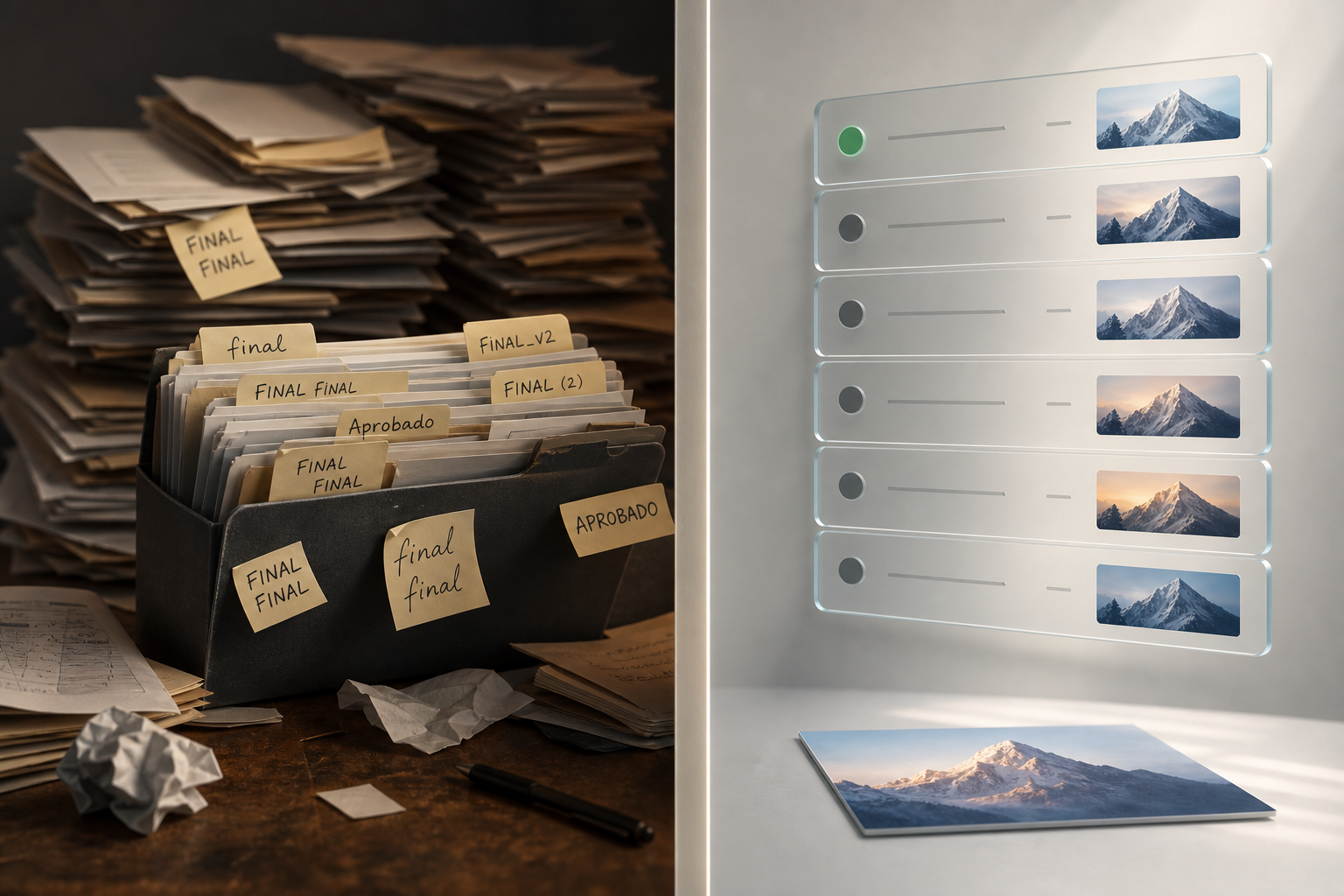
File version retention starts to fail when the team uses the file name as its only control system: proposal-final.docx, proposal-final-final.docx, proposal-approved.pdf, proposal-approved-new.pdf. At first it seems practical because anyone can duplicate and rename. Later, when an urgent correction arrives, no one knows which editable file was valid, which PDF was sent to the client, or which source image generated the published piece.
The risk is not just visual clutter. Manual copies break the relationship between the active asset, its permissions, its links, and its history. An independent copy may have another owner, another visibility setting, or remain shared by mistake. In a collaborative workspace, the important question is not how many files exist, but which item represents the current work, which previous states can be recovered, and which deliverables are final exports that should no longer be confused with the original.
Five concepts to separate before organizing
A version is a previous state of the same item. In Apification, the history remains linked to a single resource and keeps revisions connected to the same code, properties, permissions, and workflow. This is different from an independent copy, which creates another resource and can begin its own operational life. It is also different from a transformed export, such as a review PDF or an optimized image generated from a source file.
Shared links and storage capacity are two other layers that should not be mixed together. Apification Cloud allows sharing through users, groups, links, and publishing with independent controls, and new resources are private until their visibility is expressly changed. But sharing is not the same as versioning, and moving an item only changes its organization, not its identity, properties, or access rules. In addition, originals, projects, versions, and results consume account storage, so a versioning policy does not replace a cleanup policy.
- Version: a recoverable state of the same item.
- Copy: an independent resource with its own life cycle.
- Export: a transformed result for review, delivery, or publishing.
- Link: an access path, not a guarantee that the document is current.
- Capacity: cumulative consumption by originals, projects, versions, and results.
What Apification Cloud brings to recoverable history
Apification Cloud is presented as an organized, versioned space prepared for sharing files, services, and digital projects. Its value for operations, content, or agency teams is that it allows files, folders, editable services, and generated results to be kept in the same workspace. Grid or list views, with previews, real types, subtypes, extensions, and specific icons, help quickly identify whether you are looking at an editable file, an image, a result, or a review file.
For recovery, Apification allows you to consult saved versions, download previous content, and restore a prior state when necessary. The versions page defines this as reviewing the evolution of Cloud items, downloading previous versions, and performing controlled restoration. In addition, the review context includes data such as date, author, size, and status, which are useful for identifying the correct revision before taking action. This information reduces blind decisions, but it does not remove the need to agree on internal criteria about what to keep and for how long operationally.
Decision model: what deserves a long history and what does not
Not all files need the same retention. An editable document with negotiation, internal revisions, and successive approvals usually deserves a long history because each change can have operational implications. The same applies to source images, video or audio projects, and working documents that generate multiple deliverables. By contrast, a PDF exported only for one review round may need a shorter life if the editable file is preserved and the team knows which version is current.
A practical criterion is to classify by recreation cost, error risk, and reuse frequency. If recreating the asset from scratch would be expensive, if an incorrect version could cause the wrong delivery, or if the file is reused in future campaigns, it is worth keeping recoverable history. If the file is an intermediate result, a temporary conversion, or an export that can easily be regenerated from the original, keeping the current version and documenting where the source is may be enough. This matrix is a work discipline, not an automatic function that solves storage by itself.
- Keep more history when the file is a source, editable, reusable, or difficult to reconstruct.
- Keep less history when the file is a temporary or regenerable export.
- Avoid duplicating editable files just to mark approval states.
- Separate final deliverables from active production files.
Simple matrix by asset type
For editable documents, spreadsheets, and presentations, the operational recommendation is to work on the same item whenever possible and use history to recover previous states. Apification allows office files to be created and edited with ONLYOFFICE while they remain inside Cloud storage, reducing the temptation to download, rename, and upload scattered copies again. For review PDFs, it is best to treat them as exports: useful for circulating a closed reading version, but not as substitutes for the master document.
For images, videos, and audio files, the separation should be even clearer. Editable or high-quality source images usually deserve careful preservation; modern or optimized exports can be managed as results. Apification includes image editing on a canvas with layers, text, shapes, filters, and export formats, as well as multitrack editing of video, audio, images, text, and subtitles with preview and rendering. For data or documents processed through conversion, splitting, merging, or optimization, record which file is the origin and which one is the shareable result.
- Editable documents: history of the same item and few manual copies.
- Review PDFs: identifiable exports, not the source of truth.
- Source images: preserve originals and distinguish final formats.
- Rendered videos: separate the project or source from the final render.
- Audio files: distinguish recording, editing, and professional export.
- Processed data: document origin, transformation, and result.
Recommended flow before replacing a file
Before replacing an active file, confirm that the correct item is selected. Use views, previews, extensions, real types, and specific icons to avoid acting on an export instead of the source. Apification compares the extension, declared MIME, detected MIME, and file signature to determine the real type, a particularly relevant aid when someone has manually renamed an extension or uploaded a file with a misleading appearance. Even so, human review of the context is still necessary.
Then apply a short list: verify the owner, size, private or public visibility, and, if one exists, the public URL; check whether the item is shared by link, user, or group; review dependencies with pages, deliverables, or external communications; and note the reason for the change outside the file name when the process requires it. If the original has evidentiary, creative, or reuse value, do not replace it with a transformed version. Use folders and moves to organize, remembering that moving changes the location, not the identity or access rules.
- Check that you are working on the correct active resource.
- Review the real type, extension, and preview.
- Confirm owner, size, visibility, and links.
- Identify users or groups with access.
- Separate source, active version, and final export.
- Avoid making the file name the only comment on the change.
Restore or download: the critical decision
Downloading a previous version is the prudent option when you need to compare, audit, or recover a fragment without altering the current work. In Apification, examining or downloading a previous version does not change the active item. This lets you review an earlier contract, compare an image before a modification, or verify what content a presentation had on a specific date. It is the right action when there is no certainty that the old version should become the current one again.
Restoring, by contrast, returns the active resource to a chosen state without manually replacing files or changing its identity. It is useful when a compatible update introduced an error, valid content was overwritten, or the team decides to return to an approved version. The operational rule should be the same as the one Apification recommends: review first and restore only when necessary. Before restoring, communicate the change to those who use the link or the resource, because the item will remain the same, but its active content will have changed.
- Download if you want to compare without overwriting.
- Restore if the active content must return to a previous state.
- Review date, author, size, and status before deciding.
- Notify affected users when a shared resource changes content.
Common mistakes and the limits of a versioning policy
The first mistake is using manual names as a substitute for history. Good naming helps, but by itself it does not preserve the relationship between revisions, permissions, and workflow. The second mistake is sharing links to obsolete copies and then assuming everyone sees the current resource. If the team works on duplicates, each link can point to a different truth. In projects with approvals, it is better to share the correct item or a clearly identified final export.
The third mistake is thinking that organizing folders is the same as freeing up capacity. Apification allows you to create folders, move resources, use the trash, and restore items without losing organization, but versions, originals, projects, and results consume storage. The fourth mistake is mixing originals with final transformed files until no one knows what can be edited and what should only be distributed. File version retention solves recovery and traceability for the same item; it does not replace decisions about the final archive, permissions, shared links, or the real cleanup of unnecessary results.
- Do not replace history with suffixes such as final-final.
- Do not share copies if a stable reference is needed.
- Do not confuse moving with reducing storage consumption.
- Do not mix editable source and transformed delivery.
- Do not restore without checking the impact on users and groups.
Frequently asked questions
Does file version retention eliminate the need to make copies?
Not always. History is used to preserve previous states of the same item and make it possible to download or restore them. An independent copy should only be used when a separate resource is needed, with its own life cycle.
When is it better to download a previous version instead of restoring it?
It is better to download it when you want to review, compare, or recover information without changing the active content. Restoring should be reserved for cases where the current resource must return to a previous state.
Does moving files to better-organized folders change permissions or links?
In Apification Cloud, moving an item changes its organization, not its identity. Its properties and access rules remain associated with the same Cloud item.
Do versions consume storage?
Yes. In Apification Cloud, originals, projects, versions, and results consume account storage, so history must be accompanied by archiving and cleanup criteria.
Sources and further reading
Documentation consulted while preparing this article.
- Apification Cloud — Apification
- Versiones y restauración — Apification
- Security Guidelines for Storage Infrastructure, SP 800-209 — NIST
- Technical implementation guidance on cybersecurity risk-management measures — ENISA
- Cool URIs don't change — W3C
Explore Apification
Related articles

Collaboration
Document Approval Workflow: How to Separate Review, Approval, and Publication
Design a clear process to review a document, record a decision, and publish only the authorized version—without confusing sharing with approval.

Collaboration
How to Compare a Download’s SHA-256 Checksum
Learn what you need to compare a download’s SHA-256 checksum with a reference, how to check that both correspond, and what to do if they do not match.

Collaboration
Brand File Library: Originals, Variants, and Access Without Losing Control
A practical guide to separating editable masters, delivery variants, and internal documents in a versioned Cloud space, with appropriate access and safe restoration.