APIs and automation
JSON Lines or a JSON Array: Prepare Records for an API Without Losing Data
JSON Lines and a JSON array can contain similar records, but they do not have the same structure. Learn to check the API contract, transform a sample, and review the result before sending it.
JSON Lines and a JSON Array Are Not the Same Format
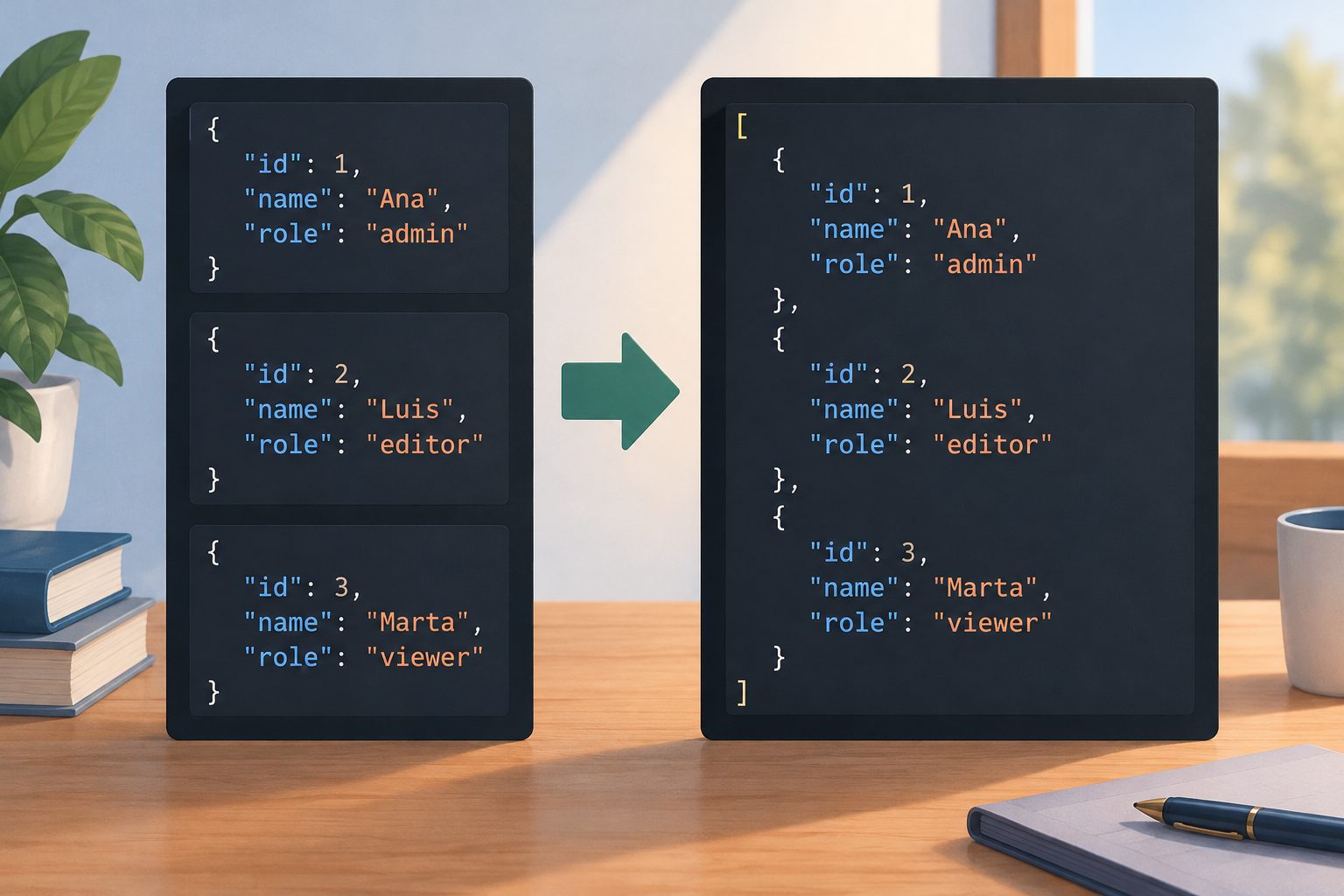
JSON is a text format for representing structured data. JSON Lines, also called JSONL, organizes that data as records: each line contains an independent JSON value. For example, Claris Help documents exporting records to a JSON Lines text file. A JSON array, by contrast, is a single structure containing a sequence of values in square brackets. This difference matters because a file can be valid JSONL without being a single valid JSON document for the consumer trying to read it.
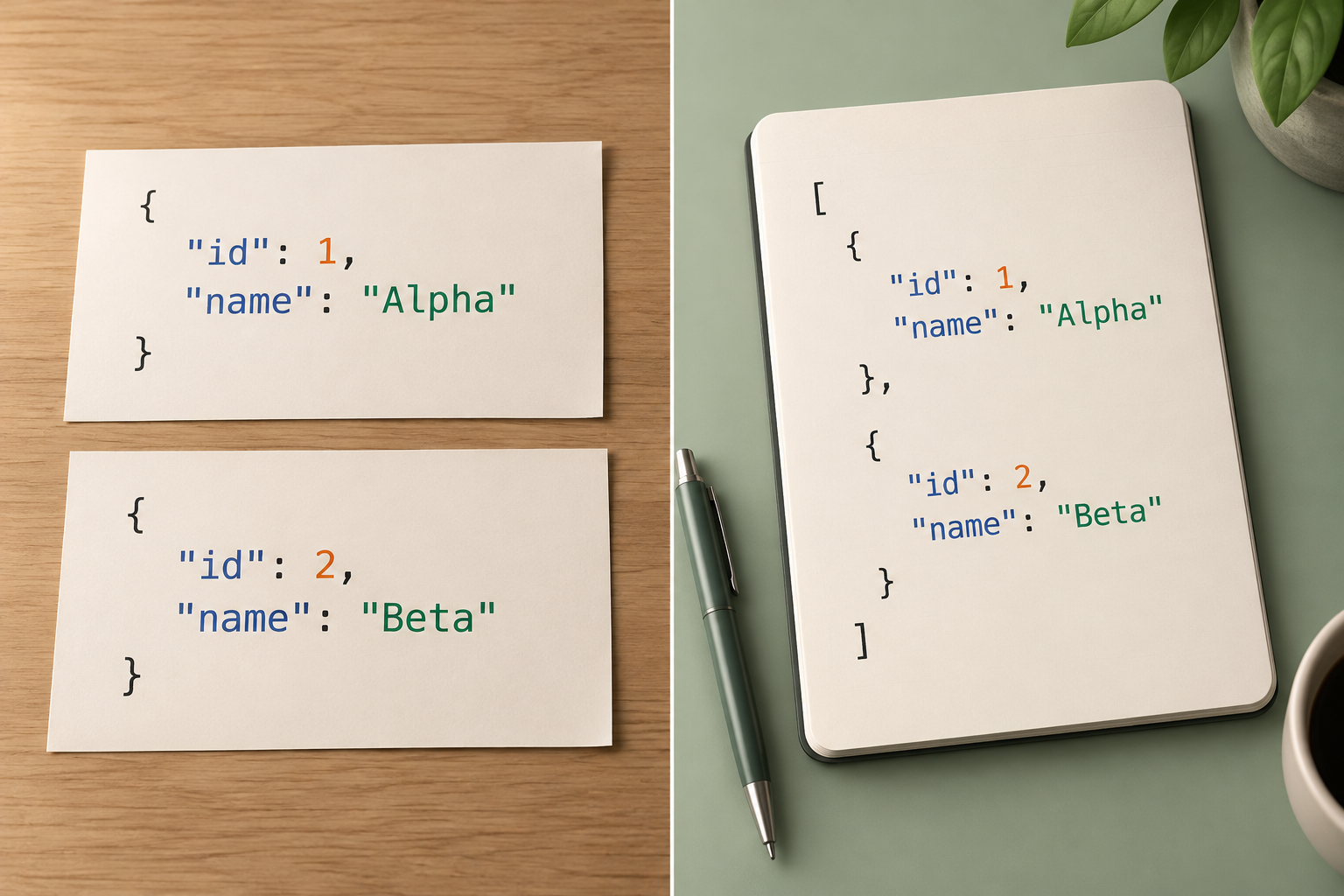
Consider these two lines: «{"id":1,"name":"Ana"}» and «{"id":2,"name":"Luis"}». Together, they represent two records in JSON Lines format. The equivalent array is «[{"id":1,"name":"Ana"},{"id":2,"name":"Luis"}]». The objects and their values are the same; the structure that groups them is different. Renaming the file extension or simply pasting the lines together is not enough: first identify the format you have and the format you need.
- JSON Lines: one JSON value per line; the file can contain multiple independent records.
- JSON array: a document with square brackets containing zero or more comma-separated values.
Confirm the Structure Required by the Endpoint
Before transforming anything, consult the documentation for the specific endpoint and, if available, its OpenAPI specification. Look for an example request body and check whether it expects an array at the root, an object containing a records property, a single object, or data sent in another way. Do not infer the structure from the endpoint name or from the fact that it receives multiple records: the contract for that operation determines the accepted format.
Also note the contract requirements for each field: exact names, value types, required properties, and how additional, null, or empty fields are handled. A record with an «id» field sent as a number is not necessarily equivalent to one that sends it as text. If the documentation does not clarify a rule, look for an official example or confirm the expectation with the responsible team before preparing the full batch. Changing the outer structure of the file does not fix incompatibilities between fields and the contract.
- Identify the endpoint and request example that match the actual operation.
- Record the required root structure and expected types before modifying the file.
- Separate confirmed rules from questions that need follow-up.

Transform a Sample Without Changing the Records
Start with a small copy that includes representative records and, if there are any, edge cases. If the endpoint requires an array of objects, the conceptual transformation is to place an opening square bracket before the first object, separate the objects with commas, and close the array after the last one. Do not add a comma after the final element. The result for two records would be: «[{"id":1,"name":"Ana"},{"id":2,"name":"Luis"}]». This illustrates the structure; it does not guarantee that this specific endpoint accepts those fields.
Preserve every property name, value, and type exactly unless the contract calls for a necessary conversion. Do not turn «0012» into 12, change a Boolean value into a string, or remove properties because they seem duplicated. If you automate the process, have it read each line as a JSON value and build a list of values; avoid manipulating text with improvised replacements of line breaks or commas. Then compare the input and output sample field by field.
- Keep the original unchanged and transform a copy.
- Test with a small number of records first, preserving the original types and values.
- Generate separators and brackets with a tool that understands the structure, not blind substitutions.
Detect Syntax Errors and Unexpected Records
A common mistake is concatenating objects without converting them into an array: «{"id":1}{"id":2}». Even if each fragment looks like an object, that sequence does not have the structure of the example array. There may also be a comma after the final element, a missing bracket, or an unescaped quotation mark inside a string. Examine the parser's error message and the location it identifies; if the error points to a line or position, check the corresponding record and the character immediately before it.
Inspect blank lines and values that are not objects. Do not assume that a blank line is a record you can discard: define that rule according to the source and receiving process, and document any discarded lines. Likewise, «null», a string, or an array can be JSON values, but they are not record objects. If the contract expects objects, identify them before sending rather than forcing them to be accepted or silently removing them.
- Check brackets, commas, quotation marks, and escapes when the result cannot be parsed.
- Count and classify blank lines or values that are not objects.
- Do not hide errors by discarding records without an agreed rule.
Validate Records, Characters, and the Complete Result
Before sending, compare the number of source records with the number of elements in the resulting array. If there are documented exceptions, record how many lines were omitted and why; if there are none, investigate any difference. Check the first and last records, and also review a sample from the middle. These checks help catch truncation at the beginning or end, as well as errors that affect only part of the file.
Validate that the result can be parsed as a single JSON document and that its root has the required structure. Check field names, types, null values, empty strings, and special characters in representative cases: quotation marks, backslashes, line breaks, or accented characters. Also confirm the encoding expected by the tool or endpoint; do not change it without checking the requirement. If validation fails, keep the original file, fix the cause, and rerun the checks on the entire result.
- Compare record counts and explain any difference.
- Check the first record, last record, and samples from the middle.
- Validate syntax, root structure, fields, types, characters, and expected encoding.
Decide When to Keep JSON Lines
Conversion is not always better. If the consumer supports JSON Lines and processes records one at a time, keeping that format can avoid creating one large array and lets you work with the original line-based organization. The decision depends on what the receiving process accepts and how errors will be handled. Do not assume that an endpoint supports JSONL because it accepts JSON, or that accepting an array means it also accepts independent records.
An array may be necessary when the contract calls for a single list in the request body. In that case, also consider batch size and the strategy for reporting partial failures, if the documentation specifies one. If it is unclear whether to send everything together or in several groups, test with a controlled sample and verify the response before increasing the volume. Keep the original data, transformed data, and test results separate.
- Keep JSON Lines if the consumer supports it and record-by-record processing is appropriate.
- Use an array when that is the structure required by the contract.
- Check batch size and error handling before sending a complete batch.
Checklist and Tools
Before finishing your preparation, verify that you have identified the source format, confirmed the contract, and kept an untouched copy. Test a sample with more than one record, validate the resulting structure, and compare fields and counts. Note how you handled blank lines, malformed records, and unexpected values. If the sample passes, apply the same procedure to the complete file and repeat the validation; do not assume the final batch is correct just because a small sample was.
If you are considering a converter, check its input and output formats separately, whether it distinguishes JSON Lines from conventional JSON, what it does with blank lines and invalid records, and how it reports errors. Test with cases that include special characters and values of different types. Apification offers Cloud and service integration through REST API, OpenAPI, webhooks, iframe, and JavaScript, as well as a guided assistant for processing data and other files. This description does not confirm a specific JSON Lines conversion: verify that the required format is supported before relying on a particular function.
- Contract confirmed and original file preserved.
- Sample validated and counts compared.
- Errors, blank lines, and special characters reviewed.
- Specific converter capabilities verified before use.
Frequently asked questions
Is a JSON Lines file a JSON array?
No. JSON Lines contains JSON values separated by line breaks; a JSON array is a single structure enclosed in square brackets. The format you should send depends on the consumer's contract.
Can I convert it by adding brackets and commas?
Only if each line is a valid value and the separators are properly formed. To avoid errors, use a process that parses the values, validate the result, and compare records and fields with the original.
Does Apification convert JSON Lines to a JSON array?
The available information describes tools for processing data and integration capabilities, but does not confirm this specific conversion. Verify the supported input and output formats before using it.
Sources and further reading
Documentation consulted while preparing this article.
- Trabajar con JSON — MDN Web Docs
- Guardar registros como JSONL — Claris FileMaker Pro Help
Explore Apification
Related articles
APIs and automation
Process File Batches with Controlled Concurrency
A practical guide to organizing file-level jobs and designing concurrency and recovery based on each API’s documentation.

APIs and automation
Spreadsheet Dates in APIs: Avoid Ambiguous Formats and Day Changes
A practical guide to defining what each date represents, agreeing on an explicit format, and checking that data retains its meaning as it moves between a spreadsheet and an API.

APIs and automation
API Pagination: How to Navigate a Collection
Learn how to read pagination documentation, follow its continuation instructions, and assess whether a collection traversal reached its documented end.